 4 Tickets
How to set the period of validity of the promotion?
And is it possible to repeat it systematically?
For example, promotions for the weekend
 4 Tickets
How to set the period of validity of the promotion?
And is it possible to repeat it systematically?
For example, promotions for the weekend
 2,762
2,762
Hi there,
While there is no dedicated feature in the plugin for this, there are some options and workarounds I'd like to suggest.
First of all, please note you can schedule a discount by just using the regular schedule button (when creating a dynamic rule, click on publish immediately -> edit and change the date).
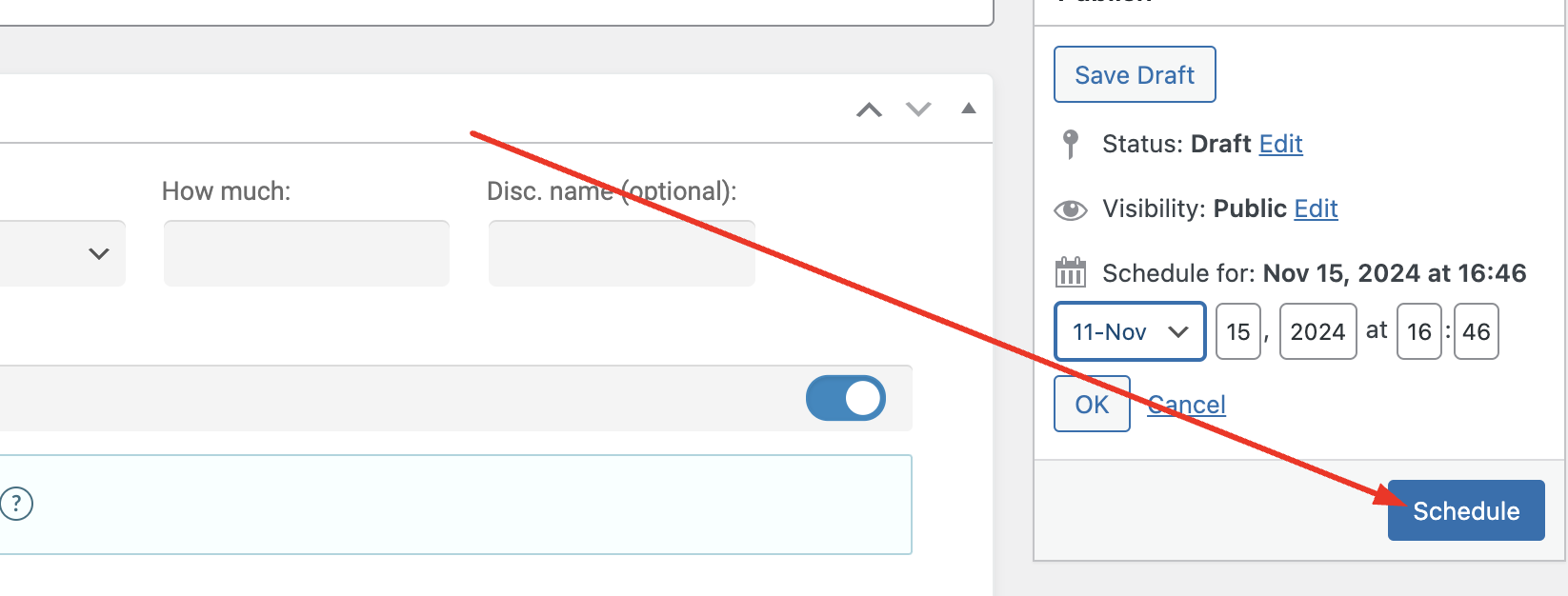
To set a validity time for the discount, it's possible to use the post expirator plugin. We have a guide for that here:
https://b2bkingplugin.com/docs/set-an-expiration-date-time-limit-for-discounts-offers/
This way you will be able to set when the discount expires:
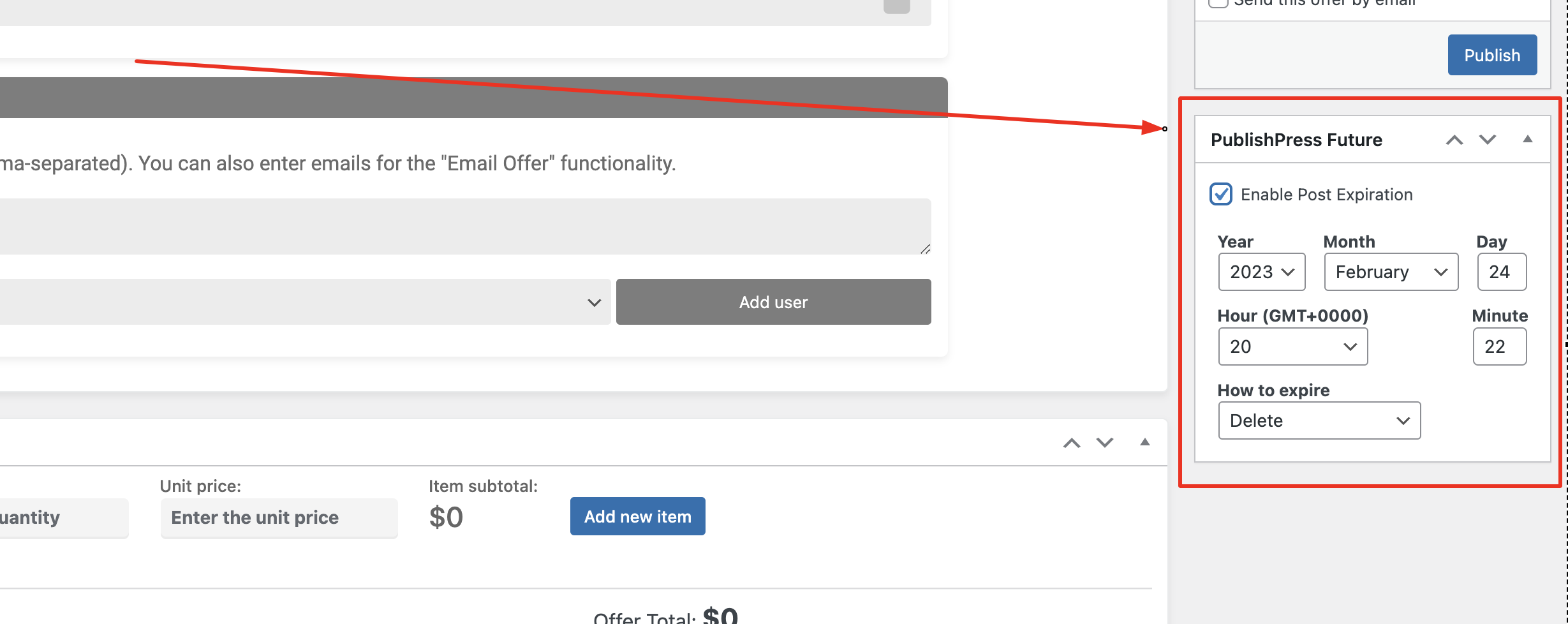
I don't believe we have a way for the discount to repeat systematically though.
Thank you for the feedback and this is definitely something we'd be interested in adding (we agree it would make sense to have direct scheduling features in the plugin), so we will look at it for future updates,
Kind regards,
Stefan