
Public Ticket #3752061

Quote Button

Closed
Comments
1 Ticket
Wilmer started the conversation 2 years ago on October 26, 2024 at 7:40pm

I checked the documentation and found that the quote button seems to be with the shopping cart, but my website is not going to use the shopping cart function, I am going to put the quote button on the product page, can I use B2BKING to achieve this?

2,762
KingsPlugins replied 2 years ago on October 26, 2024 at 8:23pm

Hello Wilmer,

Thank you for getting in touch with us,


Is it correct that the site will only be using quotes and no direct purchases / cart functionality?

If so, you can use B2BKing's 'replace cart with quote' rules: https://b2bkingplugin.com/docs/new-dynamic-rule-replace-cart-with-quote-system/

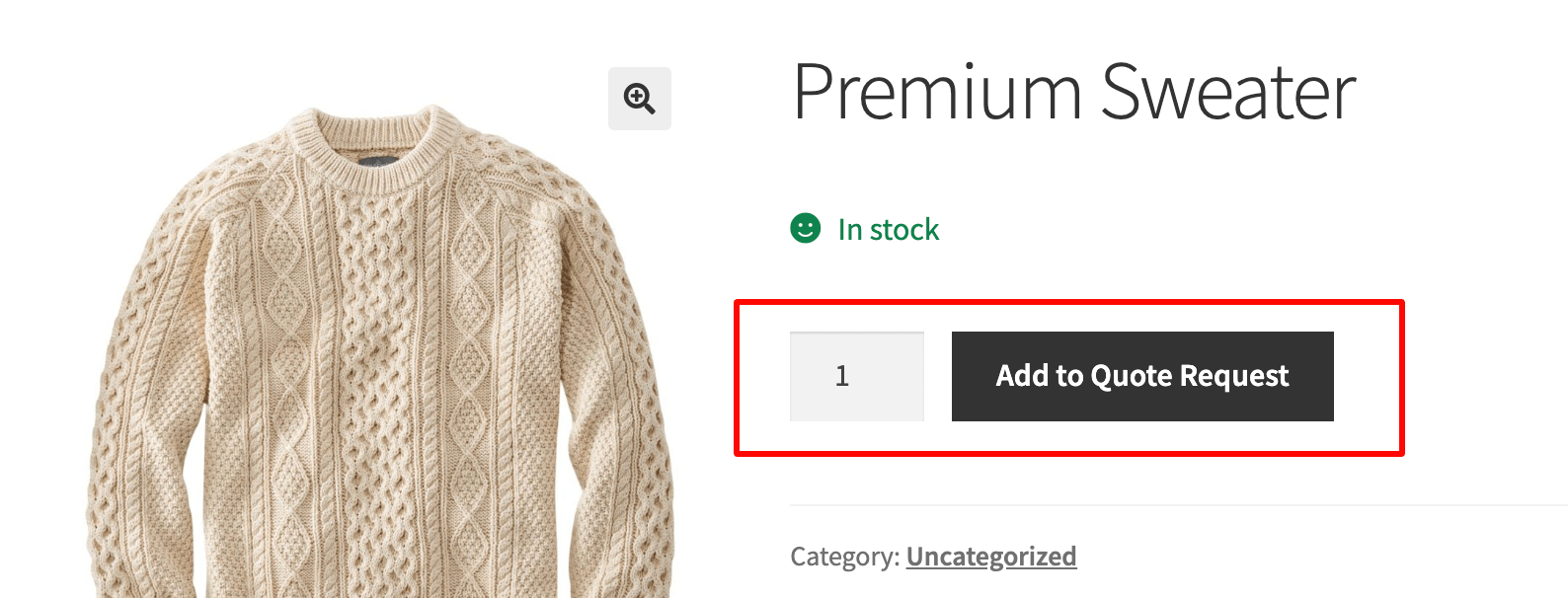
You will then only have a quote option:

add-to-quote-request.png


Alternatively, it is also possible to just add the 'request a quote' button to the product page, either using a snippet, or using a shortcode (we can place that quote button in a custom location via shortcode).


Let me know if I can help with anything, or if you have any questions,

Kind regards,

Stefan


2,762
KingsPlugins replied 2 years ago on November 2, 2024 at 8:09pm

Hi again,

In this example, the color of the button there would depend on the theme used (it is the color of the 'add to cart' button as set by the theme). In the screenshot I shared previously, that black color is from the Storefront theme.

To set a different color, you may be able to do it with theme settings. We can also help do it through custom CSS. For that, we would need a link to your site - we can then write and send you that CSS.


Kind regards,

Stefan

Sign In