Public Ticket #3759351

VAT and company name

Closed
Comments
4 Tickets
Claudio started the conversation 2 years ago on November 7, 2024 at 5:27pm

I'm testing the system in an temporary URL http://www.magnitud.cl

We need the data that B2B clients enter in the registration step, be automatically pre-filled in the checkout process, in order to make the check out faster and easier.

for example: Name of the company, VAT, address

Can this be achieved?


Thanks, Claudio

2,762
KingsPlugins replied 2 years ago on November 7, 2024 at 6:56pm

Hello Claudio,

Thank you for purchasing our plugin,


This should indeed be the default way it works: once data is saved to the user profile during registration, that data should be pre-filled during checkout.

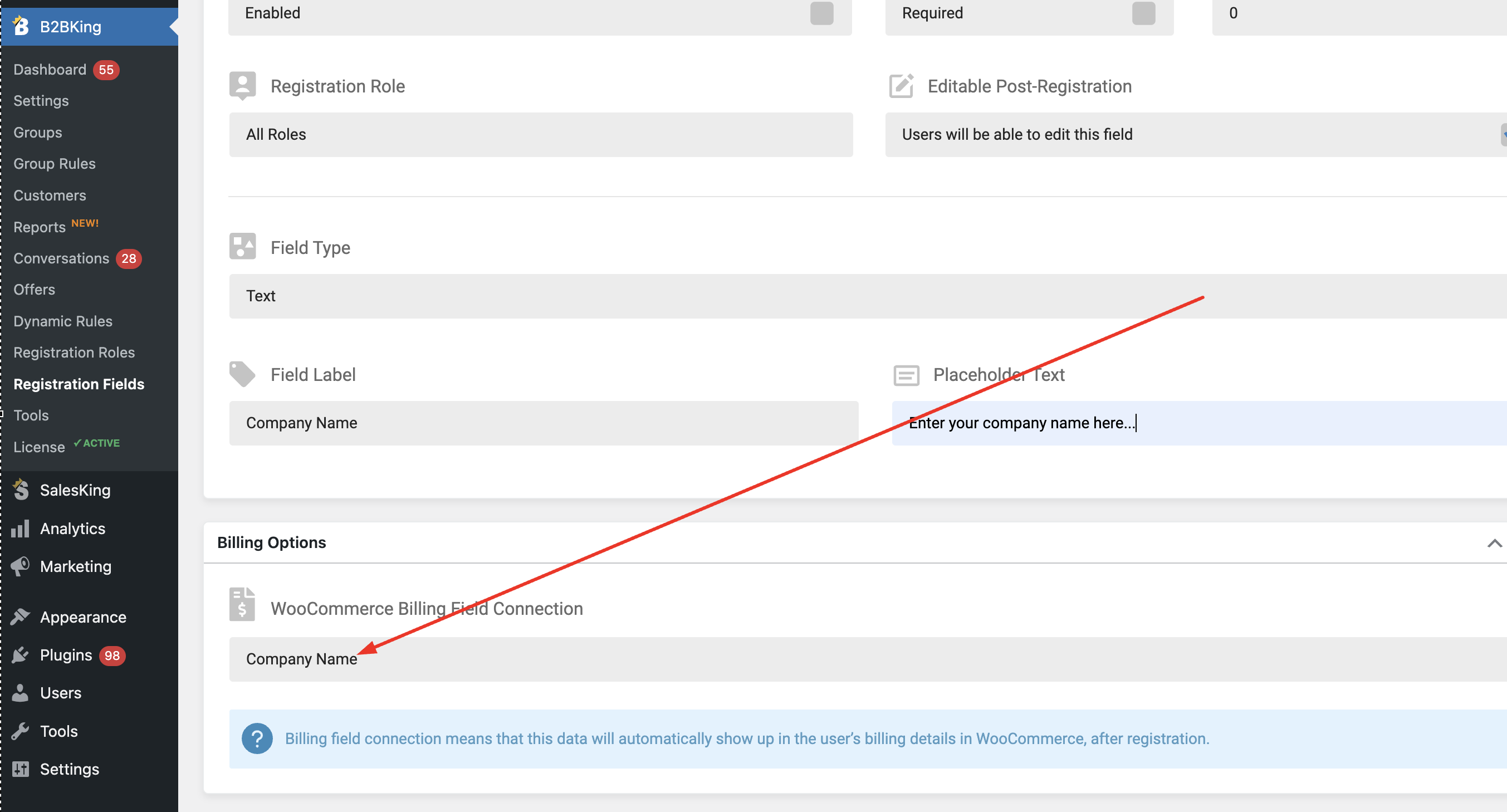
This works based on the "billing connection" setting here, for each field under B2BKing -> Registration Fields:

8168358867.png

In the above example, the value of the field gets saved to the customer's billing Company Name field. Fields like company name are by default pre-set that way.


Or are you seeing a different result on your site?


Kind regards,

Stefan

4 Tickets
Claudio replied 2 years ago on November 9, 2024 at 12:29pm

Hi, thank you.

I think my checkout uses other fields, maybe due to a translation issue or that here we use to types of invoices: “boletas” and “facturas”, and I have another plugin managing this. Anyway if I disable the mentioned plugin the problem is not solved.

I also can´t find where the clients enter their registration data. The info doesn’t appear in the customers information.


I’m a little stuck here :-/

2,762
KingsPlugins replied 2 years ago on November 9, 2024 at 9:46pm

It's possible that your checkout indeed uses custom fields - you may have a checkout plugin or widget that modifies the standard checkout. In that case, we can usually connect to custom fields using a custom key mapping.

Another possibility, since you mentioned you cannot see the customer's registration data, it could be that it's not being saved correctly for some reason.


Would it be possible to share a backend access to the site, or a staging clone site, so we can look into this directly? We could then run a few tests and check all configurations to make sure this is working correctly and as expected.


Kind regards,

Stefan 

2,762
KingsPlugins replied 2 years ago on November 13, 2024 at 7:17pm

Thank you for the access details,

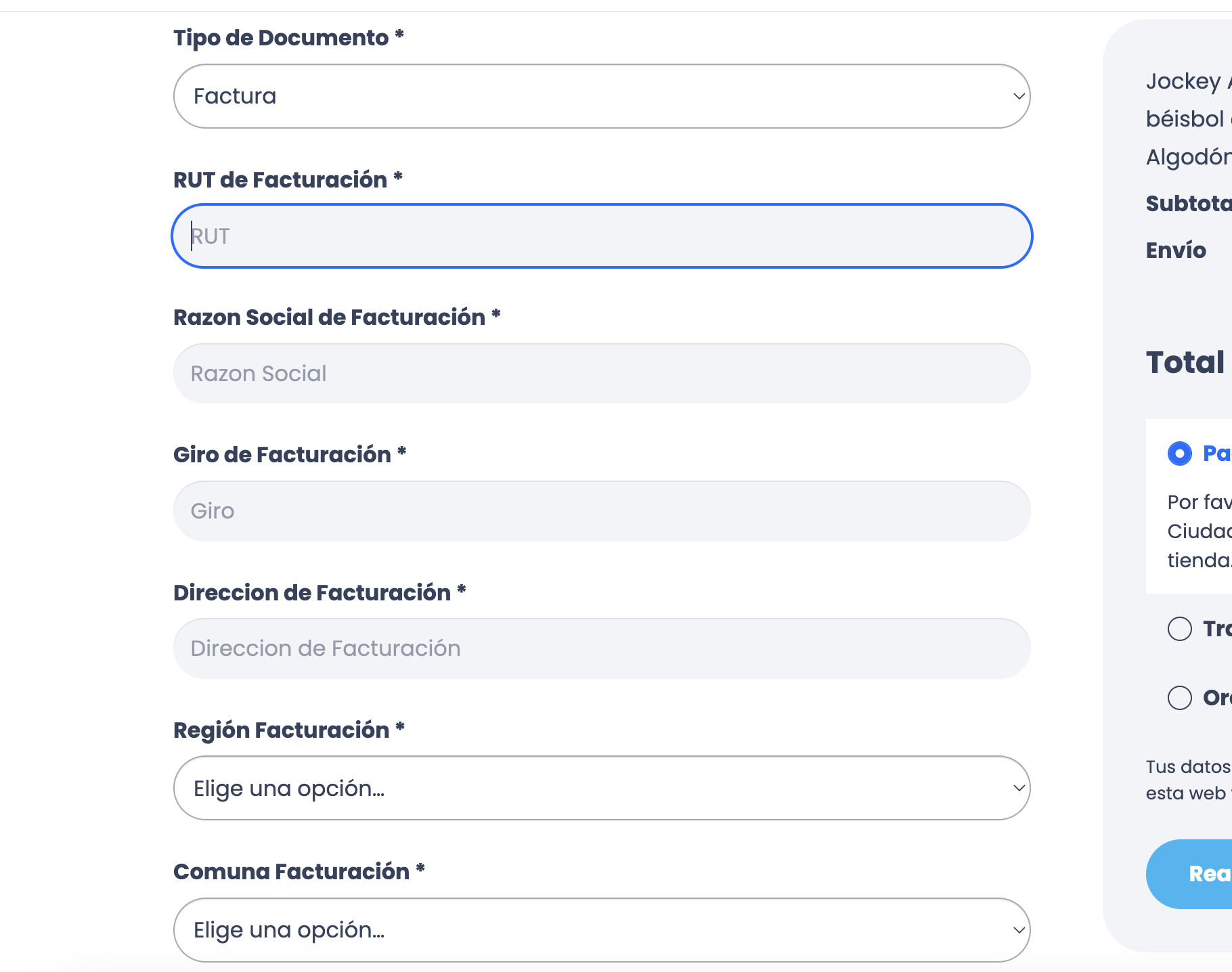
-> I checked that now on the site. The fields here are custom fields and not from our plugin:

5687374696.png


To solve this, we have to connect the B2BKing fields, to the meta keys used by those fields. 


-> You mentioned previously:

I also can´t find where the clients enter their registration data. The info doesn’t appear in the customers information.

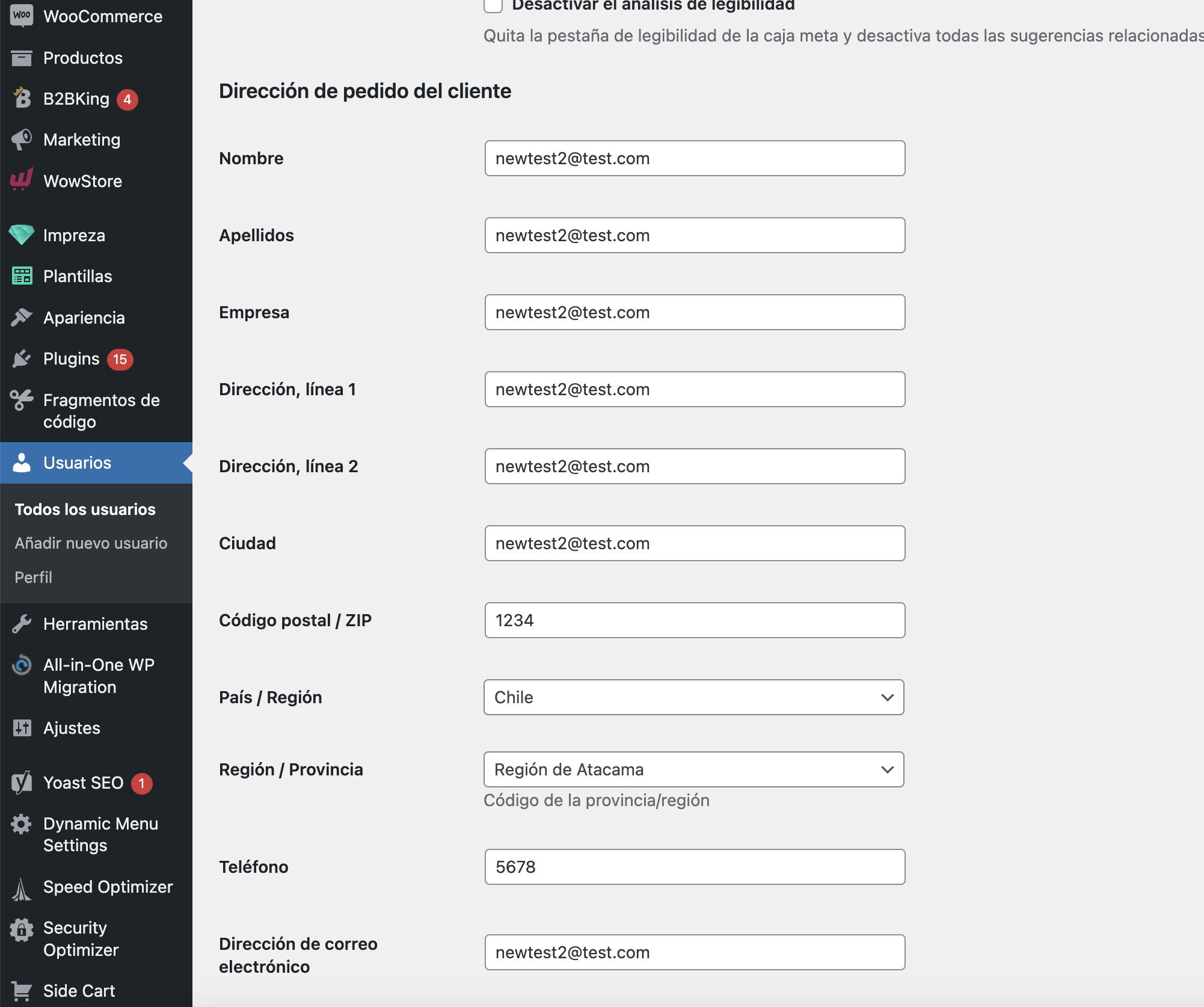
Just to let you know, most of the details are found here: (the plugin saves them to the standard billing area):

3543834690.png


-> I tried now to add a code snippet to the site to connect the keys.

I believe it works for most fields. To test this, please try registering a new user, as it would not work for a previous user.


For this field "Giro de Facturación", I do not see an equivalent field in the registration form? ( https://magnitud.cl/customer/ )

For the 2 dropdowns / select fields: these do not seem to be saveable. I tried to also place an order, but even in that case it seems these fields do not "remember" the value. It depends a bit on how the plugin that adds those fields works. It's possible it does not support it for those fields.


Sign In