Public Ticket #3759657

Conversations/ Send Message in Product Page

Closed
Comments
12 Tickets 8
Miguel Zenha started the conversation 2 years ago on November 8, 2024 at 8:04am

Hello!

I'm currently setting up the B2B King on our website. Is it possible to add a "start conversation" or "send message" button in the product page? From what I can see, to start a conversation or send a message to the admin, the user must leave the product page and go to the my account page to start a conversation. 

Is there anyway we can add a "start conversation" button on the product page so that the admin knows that the client's question is relative to that specific product? Like a quote, but it's a chat.

Best regards and thanks!

2,762
KingsPlugins replied 2 years ago on November 8, 2024 at 9:16pm

Hello Miguel,

Thank you for purchasing our plugin,


While B2BKing does not have a built-in feature for that, I believe we can help write a code snippet to achieve it.

I can suggest 2 options:

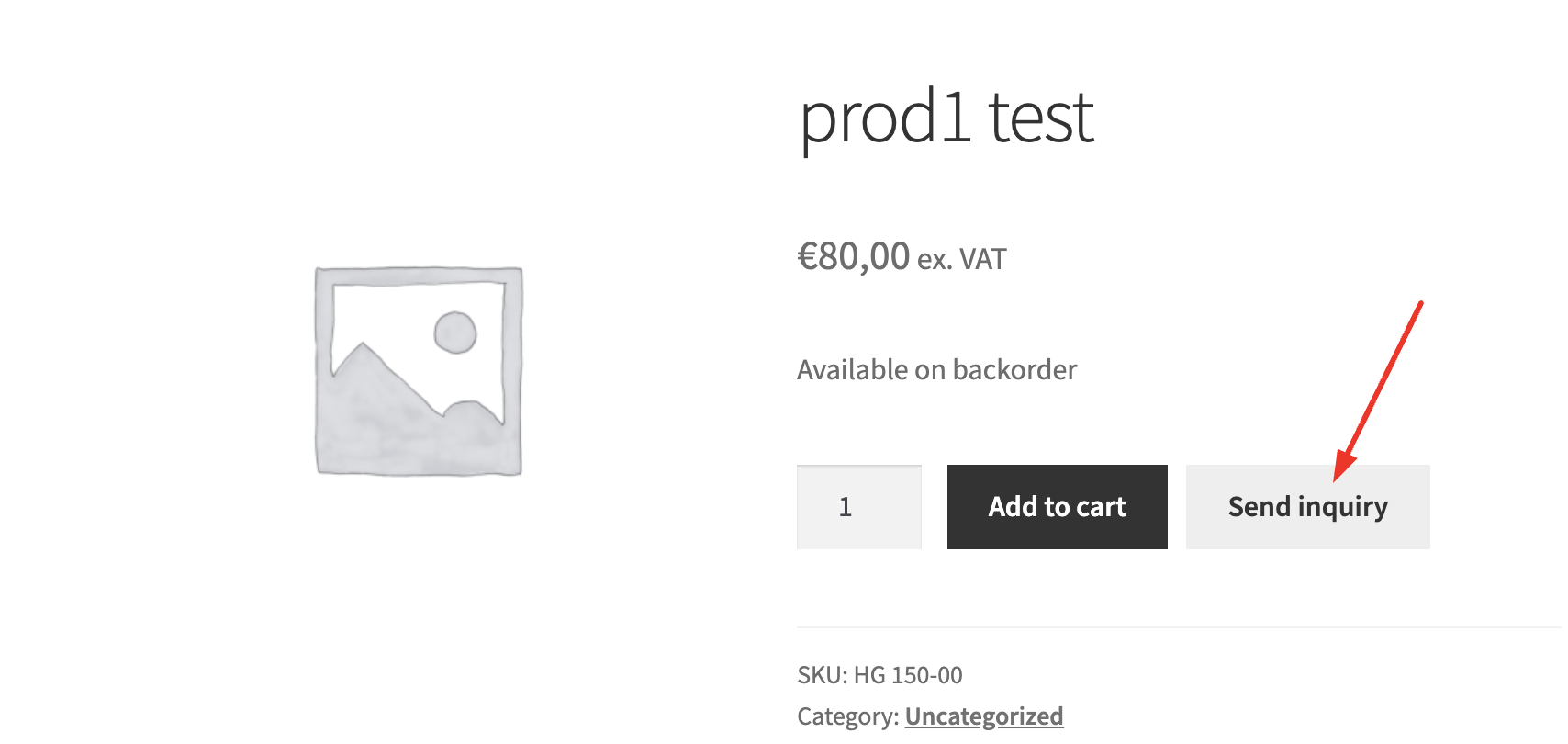
(A) We could add a button like this near the add-to-cart button:

3230510809.png


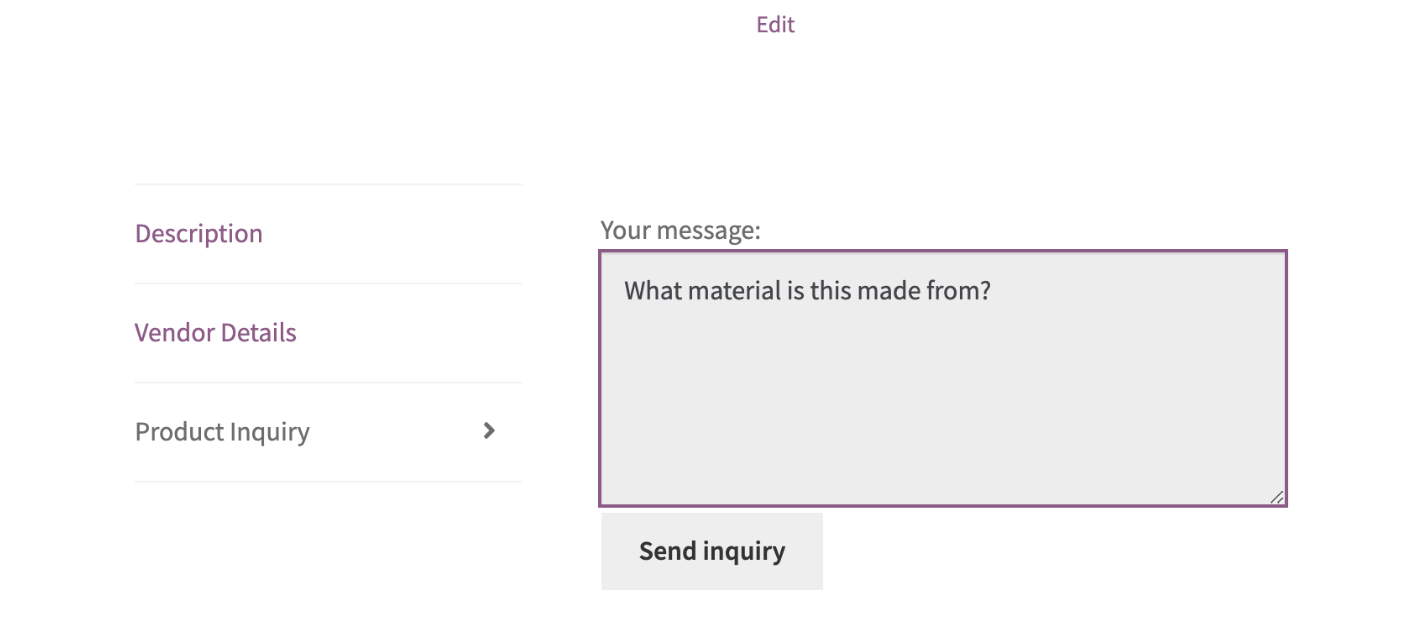
(B) I think we could also add something like a tab, similar to this, near the other tabs like 'Description':

6283940037.png


Does one of these sound like what you're looking for and if so, what would you prefer? Let me know and I will then start to work on that snippet.


Kind regards,

Stefan

12 Tickets 8
Miguel Zenha replied 2 years ago on November 11, 2024 at 4:23pm

Hi!


Thanks for the quick reply.

I believe option A may be what I'm looking for.

Can you please tell me how I can make this through a code snippet?

And will the inquiry save the product information so that the B2B manager knows which product the message was sent from?

Hope to hear from you soon. Best regards and thanks

2,762
KingsPlugins replied 2 years ago on November 13, 2024 at 7:51pm

Thank you for confirming that,


I've been looking into the best way to implement that.

Are you currently using quote requests on the product page? If not, I think a great option is to adapt the quote on product page functionality. You can add this PHP snippet to your site: https://pastecode.io/s/u5y9sxwj

It would then work as follows: https://www.loom.com/share/e07d2973fa8646c281f1505b7529c289?sid=0e6af597-d723-4378-9675-c26c1a33c390 (we can make small adjustments to texts / wording if needed).


Kind regards,

Stefan

12 Tickets 8
Miguel Zenha replied 2 years ago on November 20, 2024 at 2:37pm

Hi Stefan,

In order to use quote requests on the product page, do I have to activate any option in the settings page? Or is it enough to add the code snippet that you have sent me?


Best regards and thanks

2,762
KingsPlugins replied 2 years ago on November 21, 2024 at 8:46pm

Hello Miguel,

Great question, I forgot to mention that as well,

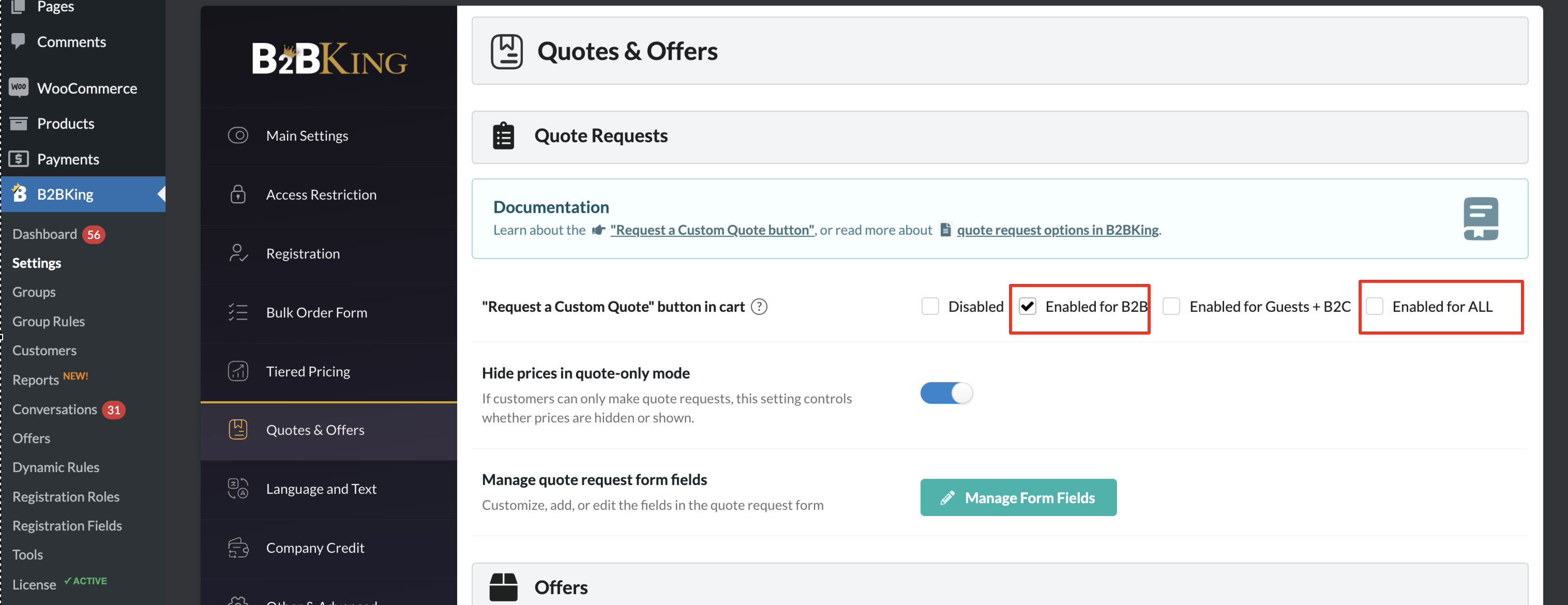
It looks like you would need one of these options enabled in B2BKing -> Settings -> Quotes:

7207013896.png


Let me know if you run into any issue,


Kind regards,

Stefan

12 Tickets 8
Miguel Zenha replied 2 years ago on December 12, 2024 at 12:52pm

Hi Stefan,

Sorry for the late response.

I've enabled quote requests in the settings: https://prnt.sc/8yRvi_UVBKG-

However, after creating the code snippet that you've sent me and adding it to the product template page, the "send inquiry" button is not showing. Maybe we can create a new button with HTML and add it to the page?

https://prnt.sc/VzfH1IrLImAS

I can create a guest user for you to inspect it if you want.

12 Tickets 8
Miguel Zenha replied 2 years ago on December 12, 2024 at 4:45pm

Hi Stefan!

I managed to make it work by adding the [b2bking_quote_form type=form] shortcode that you provided in the docs.

However, how can we change the title of the conversation that is being opened? I know the type is "Custom Quote Request" but the title is also showing "Custom Quote Request".

How can we change the title of the conversation that is being opened? I'm asking this because I'm using the custom request form on the product page but I'm also using it in the contacts page. So the title of the conversation should be "Request from Product Page" or "Request from Contacts Page".

https://prnt.sc/DwiNb5oMXi9A

Best regards and thanks!

2,762
KingsPlugins replied 2 years ago on December 16, 2024 at 4:37am

Hello Miguel,

To change the title of the quote request based on the location it's requested from, you can add this PHP snippet to your site:

add_filter('b2bking_request_quote_title', function($title) {

	$location = sanitize_text_field($_POST['location']);

    if ($location === 'productpage') {
        $title = 'Request from Product Page';
    }

    if ($location === 'shortcode') {
        $title = 'Request from Contact Page';
    }

    return $title;
}, 10, 1);


I think the above should work but it can depend on where you add the shortcode. Usually "productpage" is the location when on a single product page, and "shortcode" is on other pages.


Let me know if that works for you as needed.

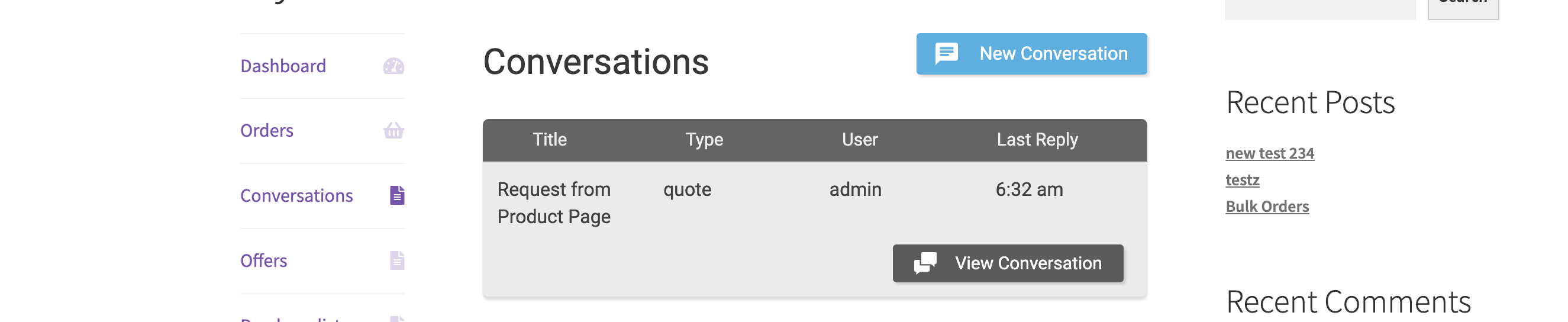
In my tests I see:

7904918391.png


12 Tickets 8
Miguel Zenha replied 2 years ago on December 16, 2024 at 4:40pm

Hi Stefan!

It's working totally fine!

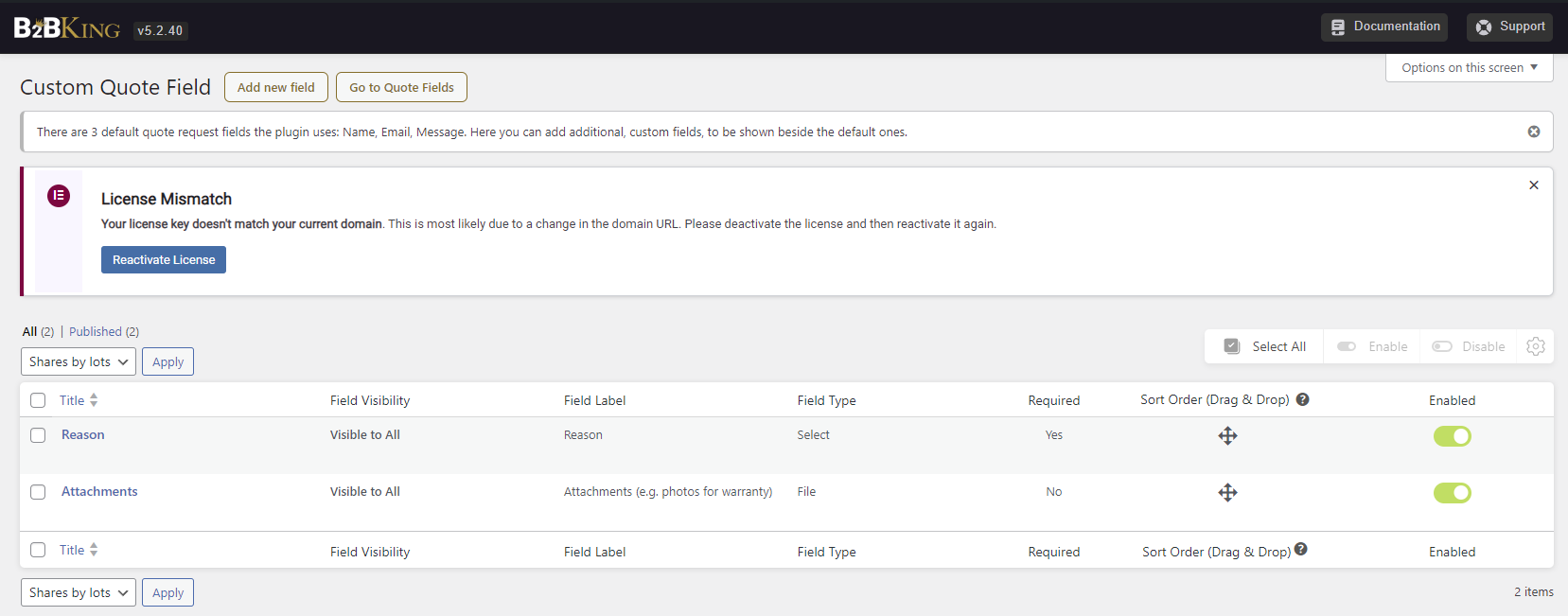
I added a form field in the custom request page called "Reason for contacting" (warranty, doubts, etc.).
Is it possible to add that "reason" field to the title? 

Example:

Request from Contact Page - Product Warranty


4629594705.png


Best regards and thanks!


1
2,762
KingsPlugins replied 2 years ago on December 20, 2024 at 3:19am

Yes, it is possible to add that field to the title. To do it, change the snippet to this:

add_filter('b2bking_request_quote_title', function($title) {

	$location = sanitize_text_field($_POST['location']);

    if ($location === 'productpage') {
        $title = 'Request from Product Page';
    }

    if ($location === 'shortcode') {
        $title = 'Request from Contact Page';
    }

    if (isset($_POST['b2bking_field_1234'])){
    	$title .= ' - '.$_POST['b2bking_field_1234'];
    }

    return $title;
}, 10, 1);

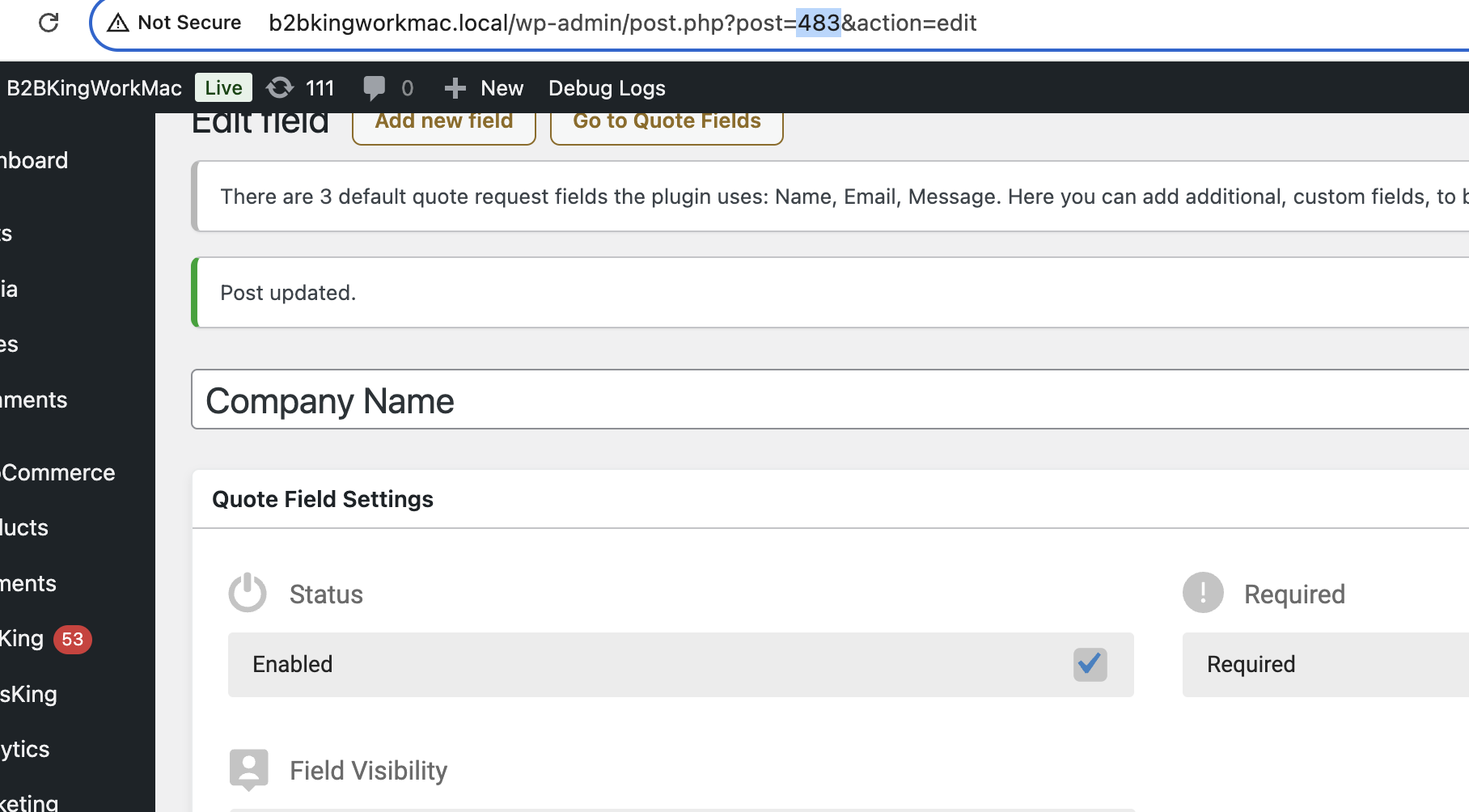
It is needed to replace 1234 with the ID of that reason field. To get that ID, just edit the field in the backend, and check the number in the URL (e.g. ?post=1234).

So for example on my site I have

6559085757.png

then it should be "b2bking_field_483" in the code snippet.


Let me know if you have any issues,

12 Tickets 8
Miguel Zenha replied 2 years ago on January 10, 2025 at 4:25pm

Hi Stefan!

Sorry about the late response. Just to close the ticket, I want to say that It worked perfectly.
Nice work!

Best regards

1

Sign In