Public Ticket #3763841

Tax applied in coupon fixed amount

Closed
Comments
2,762
KingsPlugins replied 2 years ago on November 16, 2024 at 11:22pm

Hello Matina,

To solve that, please try adding this PHP snippet to your site (to functions.php or any snippets plugin):

add_filter('woocommerce_coupon_get_discount_amount', 'fix_fixed_coupon_tax_calculation', 10, 5);

function fix_fixed_coupon_tax_calculation($discount, $discounting_amount, $cart_item, $single, $coupon) {
    // Only proceed if it's a fixed cart coupon
    if ($coupon->is_type('fixed_cart') || $coupon->is_type('fixed_product')) {
        // Get if prices include tax
        $prices_include_tax = wc_prices_include_tax();
        
        // If prices include tax and the discount needs adjustment
        if ($prices_include_tax) {
            // Get the tax rates
            $tax_rates = WC_Tax::get_rates($cart_item['data']->get_tax_class());
            
            if (!empty($tax_rates)) {
                // Calculate tax rate
                $tax_rate = 1 + (array_sum(array_column($tax_rates, 'rate')) / 100);
                
                // Adjust the discount to include tax
                $discount = $discount * $tax_rate;
            }
        }
    }
    
    return $discount;
}


If that doesn't work for you, it probably has to do with the specific site tax settings in use. I'd like to be able to see your site's woocommerce tax settings + B2BKing dynamic tax exemption rules (if you have any). It would help if you can share screenshots with the various tax settings page.

Or if you can share a backend site access to the site or a staging site, we can also look into it directly,


Kind regards,

Stefan

2,762
KingsPlugins replied 2 years ago on November 25, 2024 at 4:51pm

Hello Matina,

Apologies for the delay on this, we are seeing an unusually high volume of tickets at the moment,


I looked further into this and I realise it is more complex than I thought. WooCommerce does this by default and passes all coupons through tax functions. 

I believe I was able to find a snippet that works:

add_filter('option_woocommerce_calc_taxes', function($val){

	if (defined('DOING_AJAX') && 
        DOING_AJAX && 
        isset($_REQUEST['action']) && 
        $_REQUEST['action'] === 'woocommerce_add_coupon_discount'){
		return 'no';

	} else {
		return $val;
	}
	
}, 1000, 1);


This seems to solve it in my tests, I took a quick video that shows before and after adding the code to functions.php:

https://www.loom.com/share/0937785e026241bf924c08f355e4c96c?sid=42085522-0694-421c-99ac-c32b32df8ac3

That said, please make sure to test in detail, especially when taxes are involved. This code snippet has to completely deactivate tax functionality during coupon addition for this to work so there could be unintended consequences.


Kind regards,

Stefan

6 Tickets 4
Matina Kallivoka replied 2 years ago on November 25, 2024 at 9:53pm

Hello, thank you for this reply, however if I add this code, when I add the coupon it removes the taxes of the products as well. The order before the coupon as you see in the 'before coupon' screenshot has a total of 157,17 euros and you can see the taxes in each product. When I add the coupon I see the coupon without tax ('after coupon' screenshot) but the sum is 106.75 (I was expecting 157.17-20=137.17) and you can see that the taxes of each product are removed as well.

Attached files:

2,762
KingsPlugins replied 2 years ago on November 26, 2024 at 3:45pm

I see what you mean. Unfortunately I don't think we have a solution for it that can only affect coupons. I went again through the WooCommerce code that applies those and I do not find any hook or filter we can use to disable the tax calculation (without disabling taxes completely, which leads to the issue you described).

Ultimately it seems to be the standard WooCommerce behaviour to put all coupons through tax calculations before applying them.


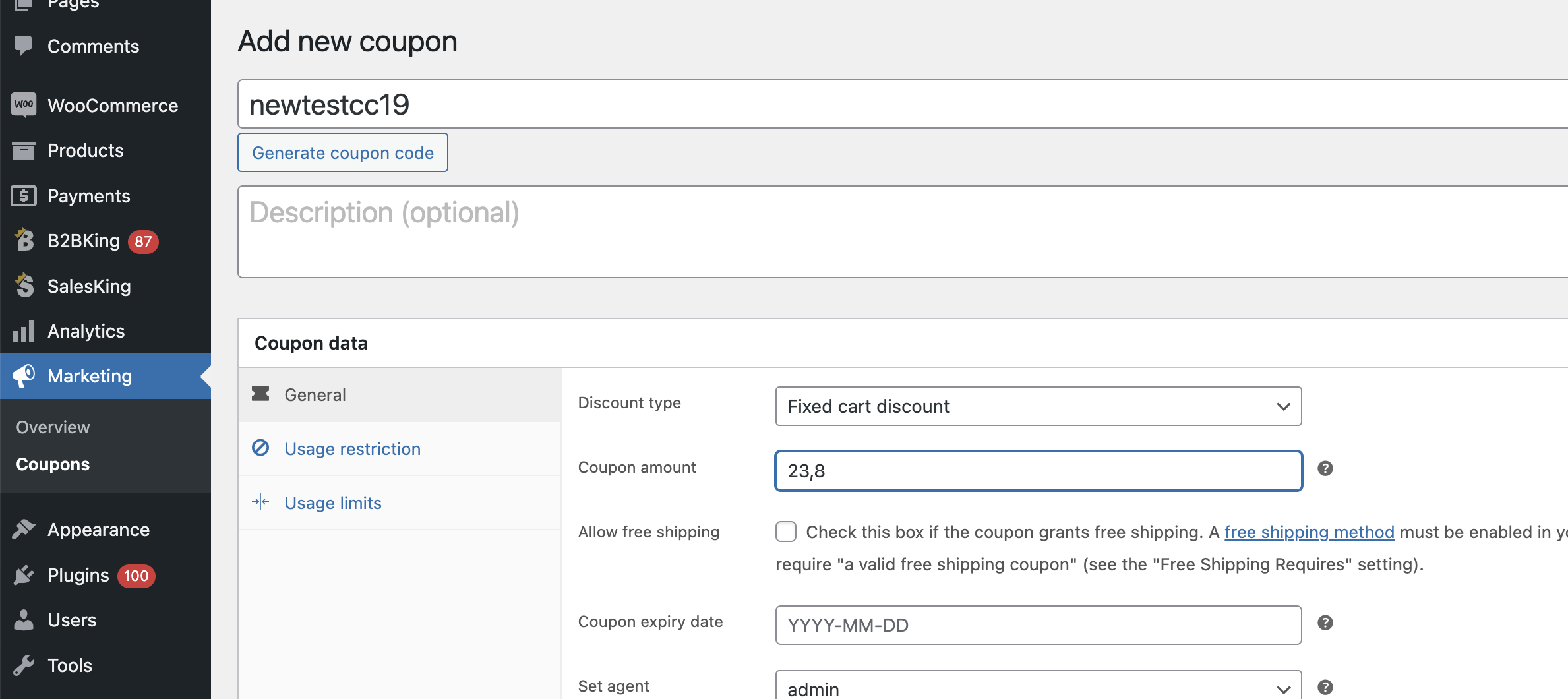
I think the most feasible option I can suggest is to edit the coupon or create a 2nd variant of the coupon, which includes the tax.

So if the tax rate is 19%, instead of creating a coupon for $20, we create a coupon for (20 * 119%) = $23.8

5424324854.png

When applied to the order, the tax is removed and final coupon value is 20.


Sign In