Public Ticket #3766273

B2B and B2C pricing

Closed
Comments
4 Tickets 5
Timothy started the conversation 2 years ago on November 18, 2024 at 10:03pm

Hello,

I have a question about the option to show the BTC prices to the B2B customers like you show in this document: https://b2bkingplugin.com/docs/how-to-display-rrp-recommended-retail-price-to-b2b-users/

I have 2 problems with it.

The first one is that both prices should be shown with VAT included.
Now on default it shows both prices without VAT which is normal because we enter our prices with our vat in the store.
But is I use you code snippet:

add_filter('b2bking_both_prices_retail_adjust_tax', '__return_false');

It only changes the B2C price not the B2B price.

The second thing is that by the B2C price, it doesn’t show incl. or excl VAT, it’s just the price.
Is it possible to also put the incl. VAT text behind it?

Thank you very much in advance.

Best regards,
Timothy

2,762
KingsPlugins replied 2 years ago on November 20, 2024 at 1:14pm

Hello Timothy,

Glad to assist,


(1) For the first issue, I understand that you would like to show both prices with VAT included.

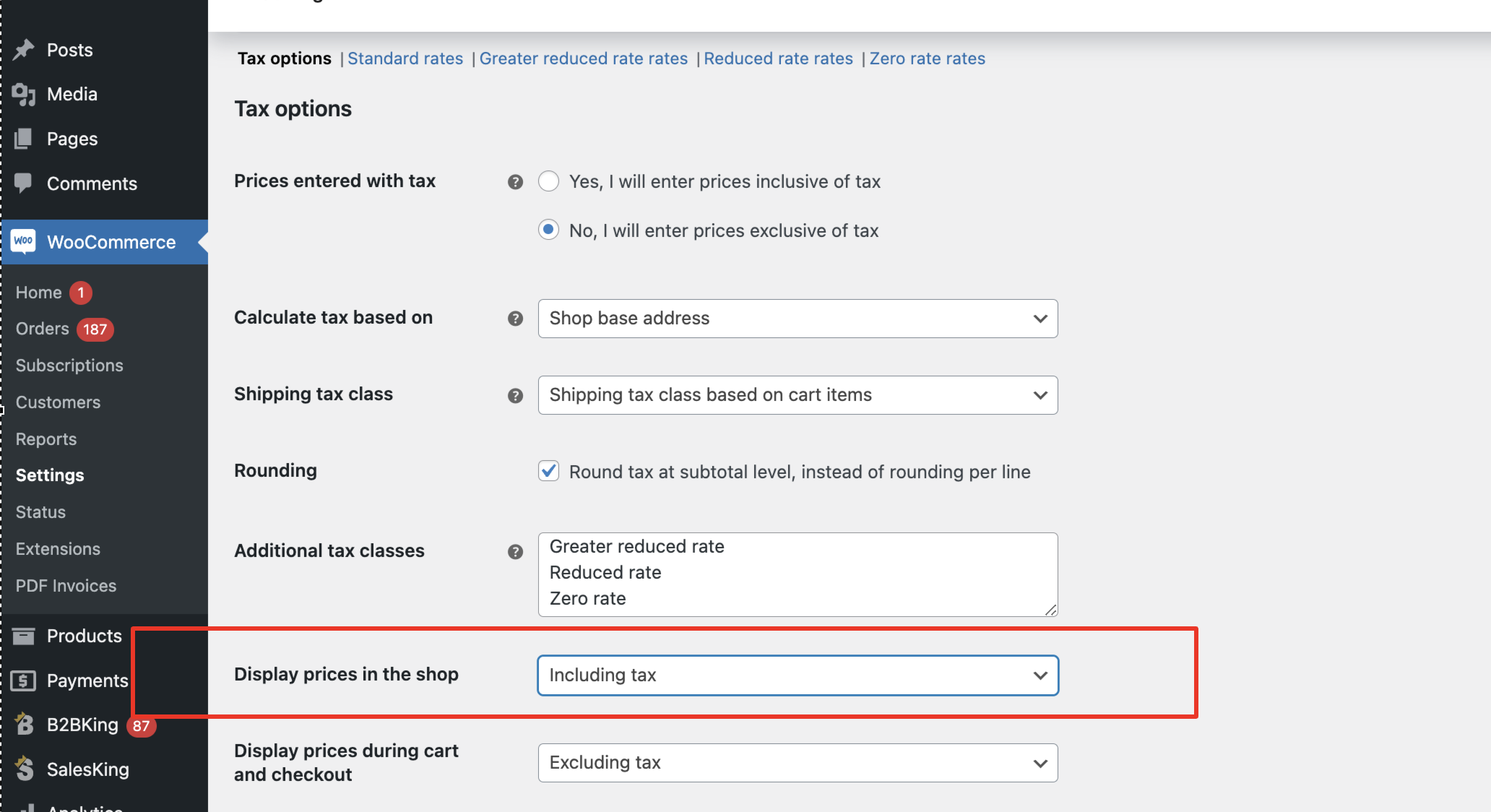
Generally I think the solution for that would be to set "display prices in the shop" to "including tax" under WooCommerce settings:

5675038814.png

That's because otherwise B2BKing does not add tax to the current user's price. Not sure if I misunderstood your setup in any way. Can you try the above and check if that works for you?


(2) 

Please try adding the following snippet that I am hoping can solve it:

add_filter('b2bking_show_both_retail_price_show_suffix','__return_true');


If it helps, we can also check these directly on your site and troubleshoot directly. For that, we would need a backend login to the site or a staging clone site we can work on,


Kind regards,

Stefan

1
4 Tickets 5
Timothy replied 2 years ago on November 20, 2024 at 3:22pm

Hello Stefan,

Thank you for the reply.

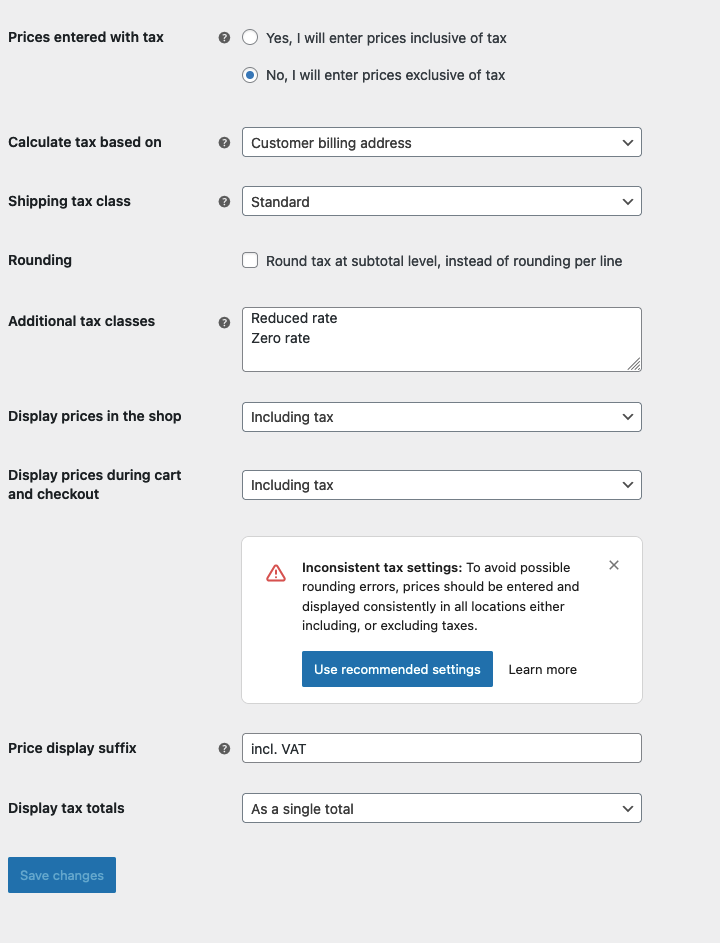
This is our setting, so we enter the prices exclusive of tax into our system.
But we display the prices inclusive of tax in the shop.

6207297976.png


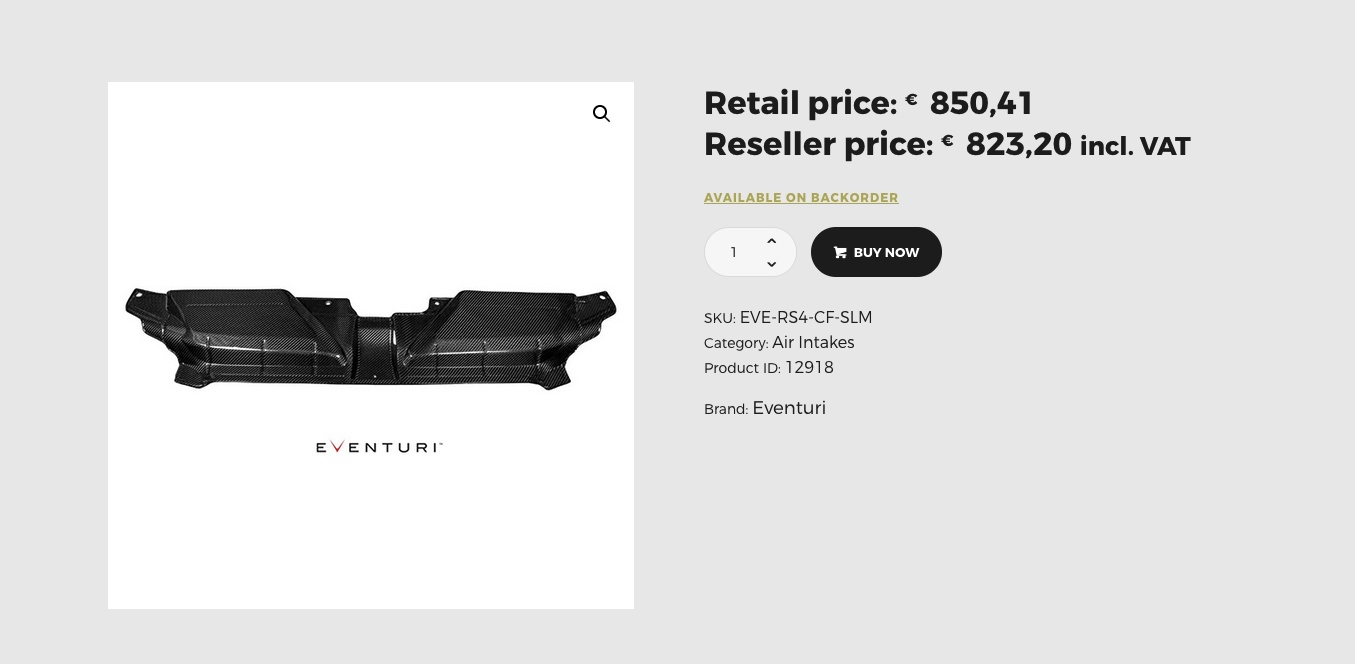
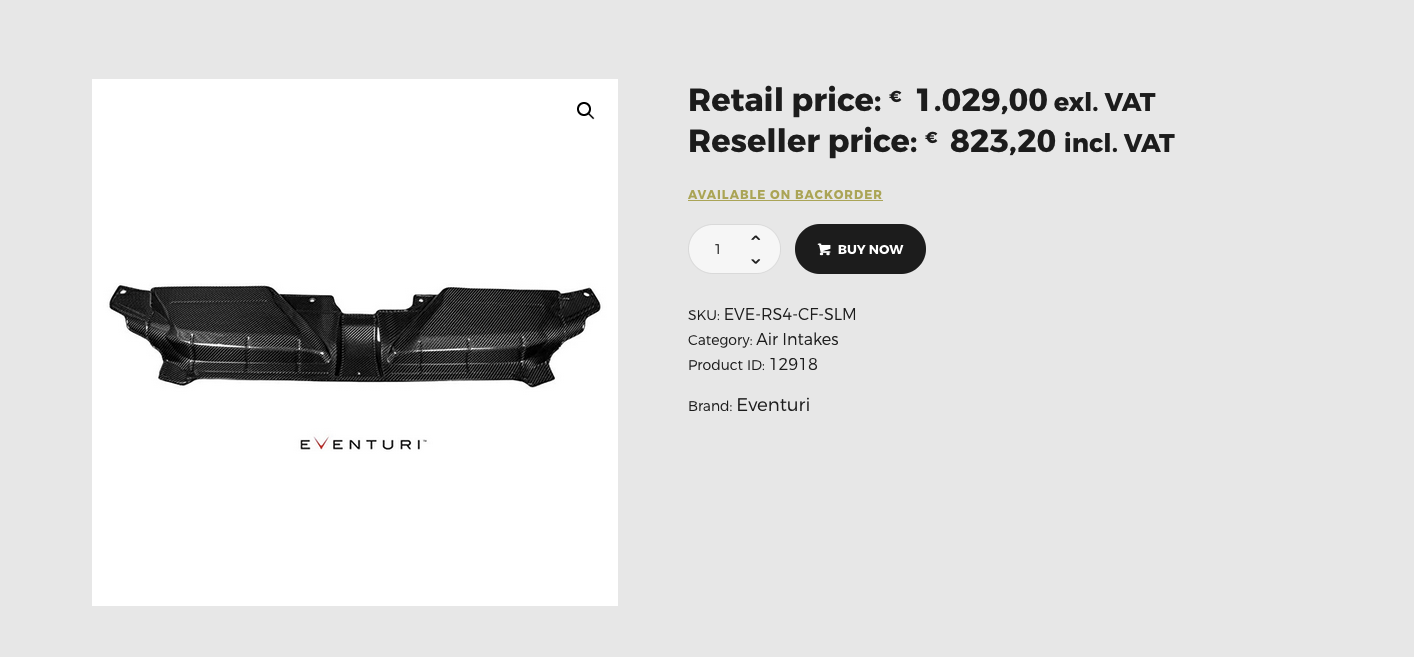
When I go to a product I see this:
The retail price shows without VAT and the Reseller prices shows with VAT

3354732990.png

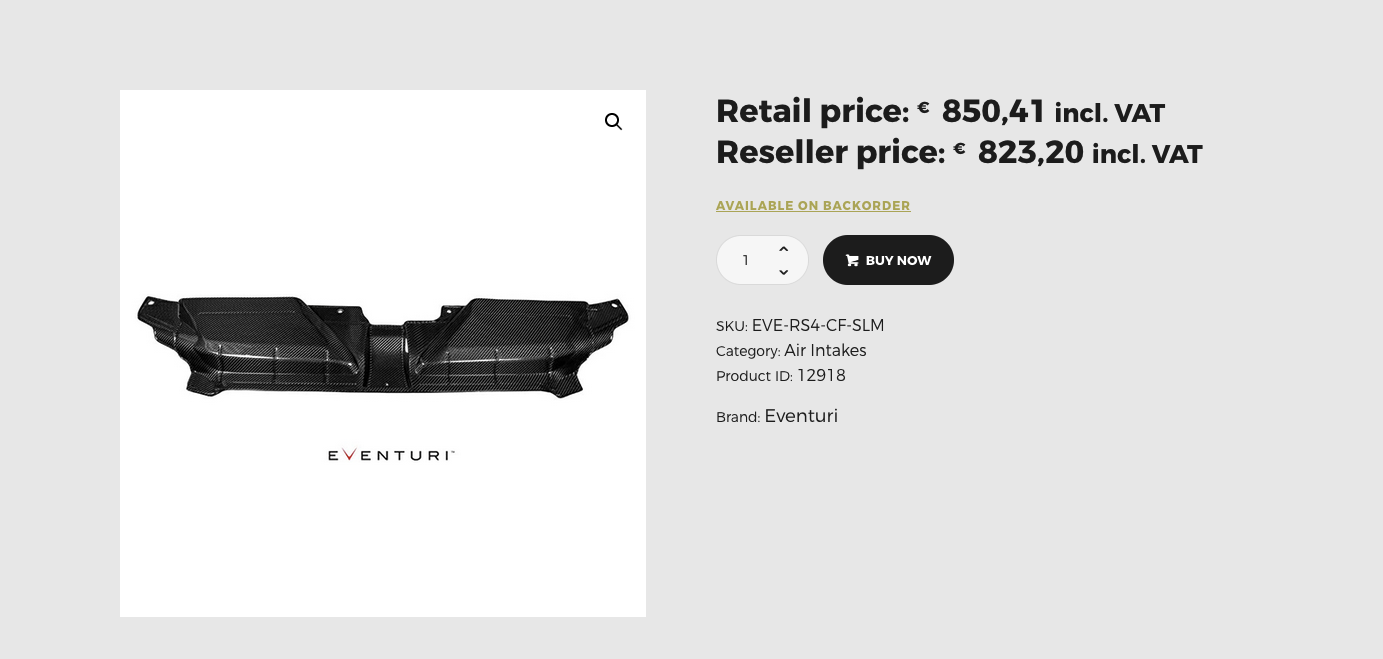
If I add your code snippet for showing the tax suffix I get this:

add_filter('b2bking_show_both_retail_price_show_suffix','__return_true');

9789183392.png

So it looks like it classifies the excluding tac as inclusive tax.

When I add this code snippet nothing happens:

add_filter('b2bking_both_prices_retail_adjust_tax', '__return_false');

When I add this code snippet It shows the retail price with tax but is labels the price without tax.

add_filter('b2bking_both_prices_retail_adjust_tax', '__return_true');

1826073714.png

So it looks like somewhere it switch the incline. With the excl. tax.

I will send you the login details in a private Reply.

Best regards,

Timothy


4 Tickets 5
Timothy replied 2 years ago on November 21, 2024 at 8:35am

Hello Stefan,

I would like to add something to this.
My client wants to show both prices without VAT with the right suffix.

Best regards,
Timothy

2,762
KingsPlugins replied 2 years ago on November 26, 2024 at 4:03pm

Hello Timothy,

Thank you for the site access details,


My client wants to show both prices without VAT with the right suffix.

I understand that the requirement has changed a bit and the client now wants to show both prices excluding VAT, with the correct suffix (exl VAT).


-> To show the price ex VAT for B2B users, I have configured a tax exemption dynamic rule here: https://eas-store.com/wp-admin/post.php?post=14879&action=edit

-> I also added a snippet here: https://eas-store.com/wp-admin/admin.php?page=wpcode-snippet-manager&snippet_id=14880


To test, I am looking at a random product:

https://eas-store.com/shop/air-induction/hard-pipes/vag-2-0-tsi-ea888-gen4-245hp-do88-oem-ic-pressure-pipes-black-red-blue-hoses/

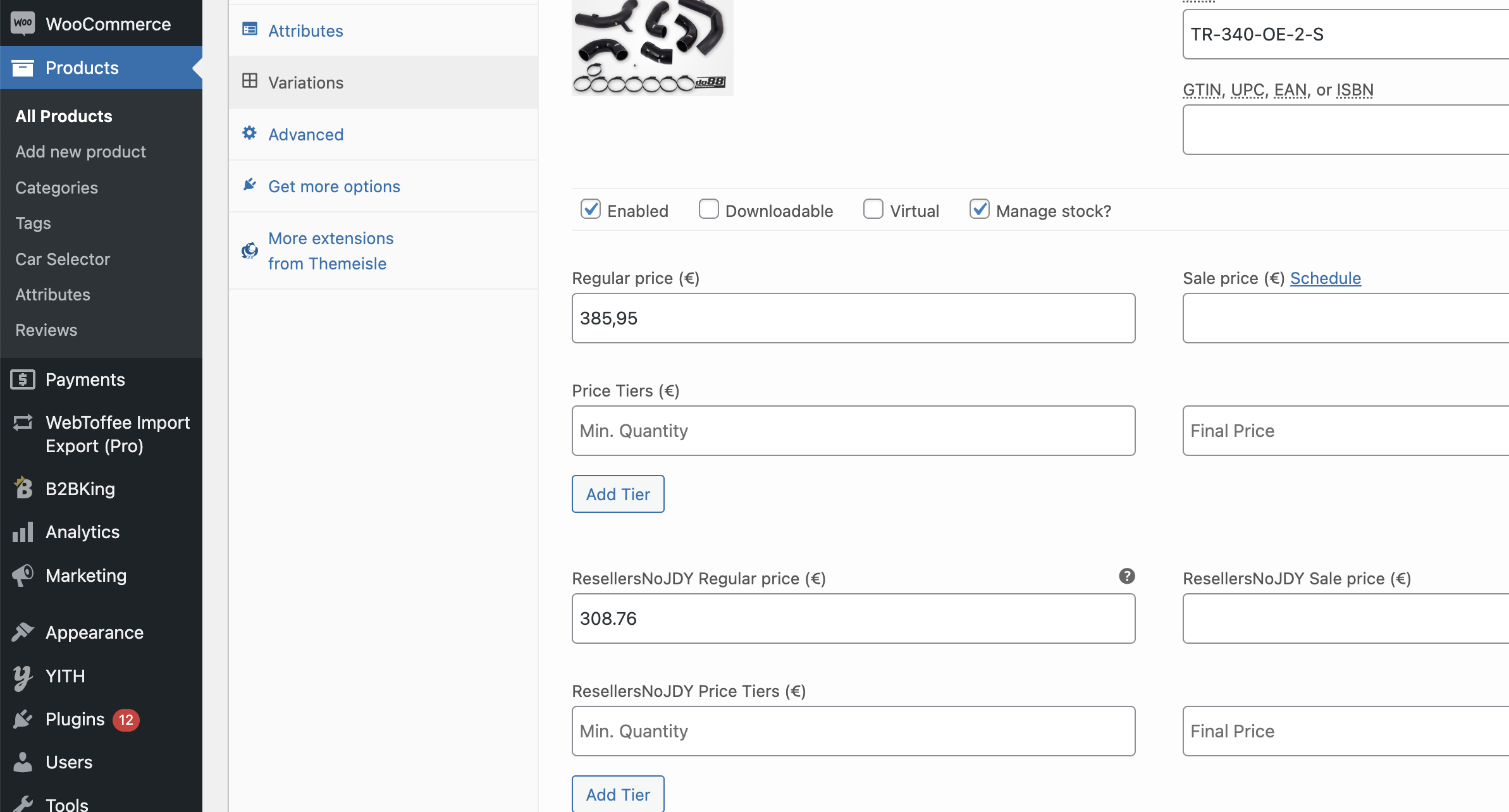
Prices config (I understand these are both ex tax prices):

6424251797.png

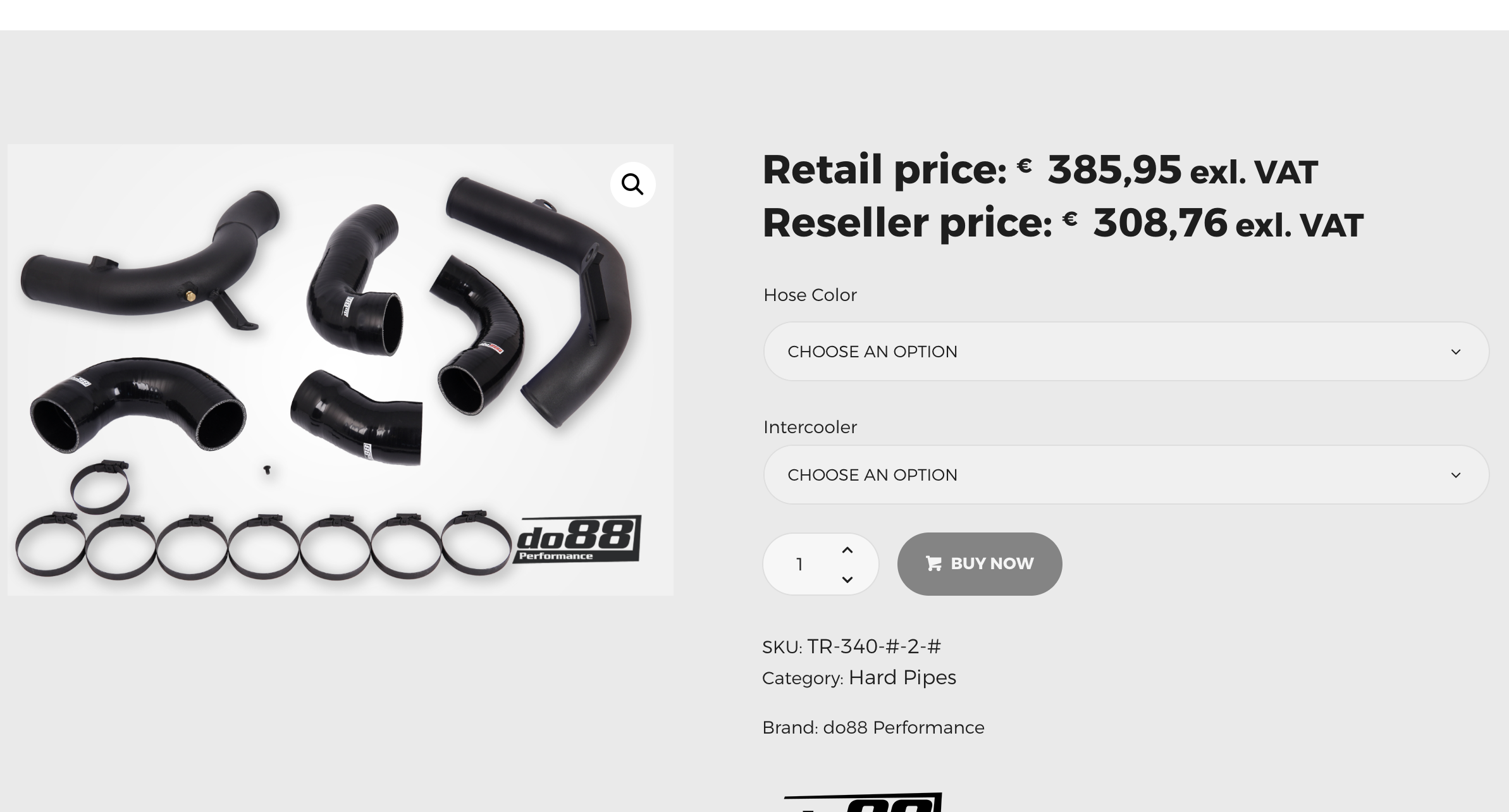
Frontend display:

2197504535.png

Therefore I believe this is displayed correct now as both prices are showing without tax and with the exl. VAT suffix.


Let me know if you see any issues or if you need adjustments.

1

Sign In