 4 Tickets
1
4 Tickets
1
add_filter( 'woocommerce_is_purchasable', '__return_false' );
Hi, I'm using add_filter to disable the all cart process. and I found that Tier price table also hidden, but if I want to show it, how?
 4 Tickets
1
4 Tickets
1
add_filter( 'woocommerce_is_purchasable', '__return_false' );
Hi, I'm using add_filter to disable the all cart process. and I found that Tier price table also hidden, but if I want to show it, how?
 2,762
2,762
Hi there,
Our plugin normally adds that table after the 'add to cart' button. Depending on the theme and how it uses hooks, it may not show if the product is not purchasable.
To solve this, we can use a different hook for that table.
Please try adding this PHP code snippet to your site:
global $b2bking_public;
remove_action('woocommerce_after_add_to_cart_button', array($b2bking_public,'b2bking_show_tiered_pricing_table'));
add_action('woocommerce_share', array($b2bking_public,'b2bking_show_tiered_pricing_table'));
add_action('plugins_loaded', function(){
    global $b2bking_public;
    remove_action('woocommerce_after_add_to_cart_button', array($b2bking_public,'b2bking_show_tiered_pricing_table'));
    add_action('woocommerce_share', array($b2bking_public,'b2bking_show_tiered_pricing_table'));
});
This places the table lower down the page, using the "woocommerce_share" hook.
It looks like this on my local test site:
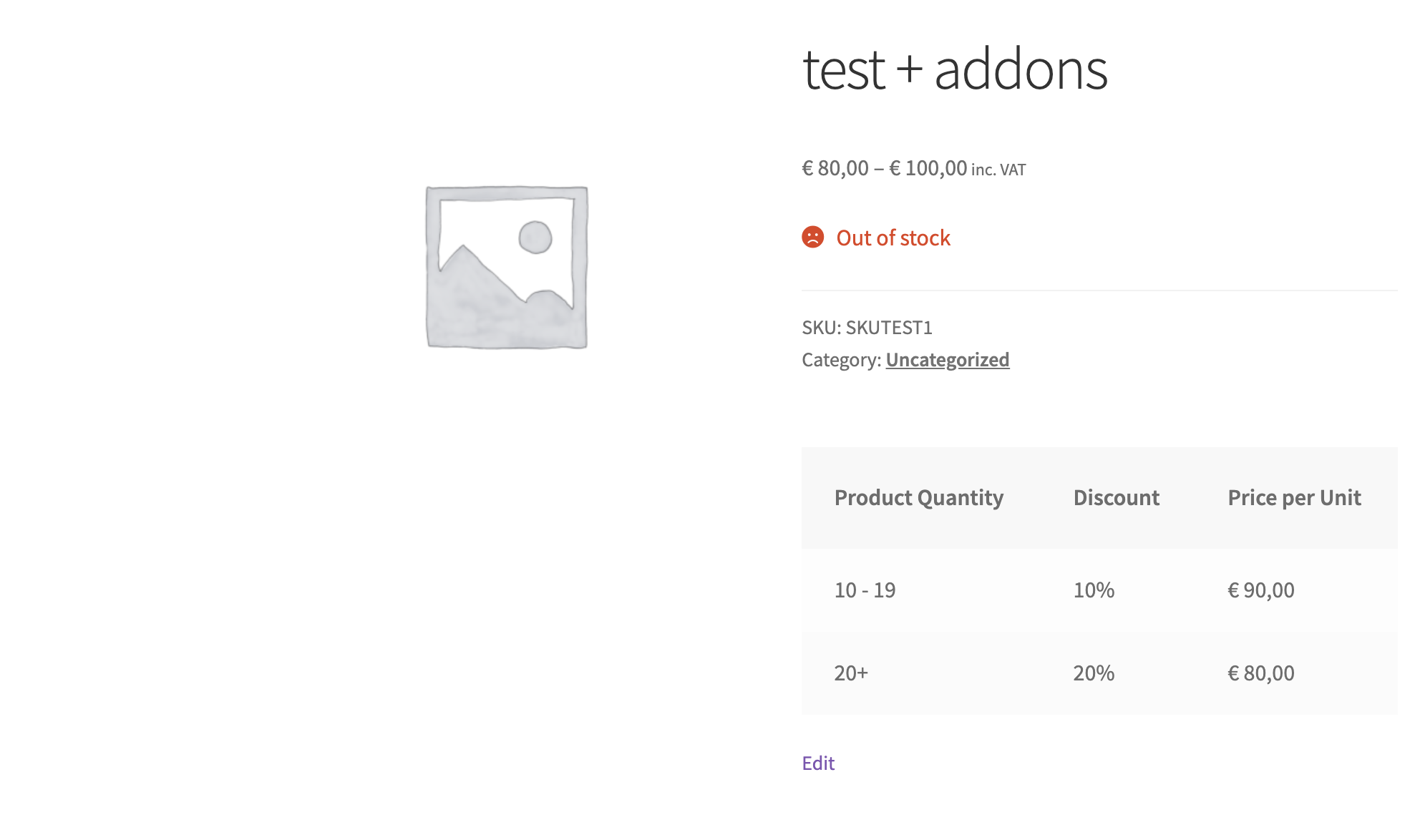
It may depend on your theme / demo where exactly that inserts and which hook is best to use. If the above does not work well for you, I would suggest to try replacing 'woocommerce_share' with one of the hooks here https://www.businessbloomer.com/woocommerce-visual-hook-guide-single-product-page/ to see if you can find one that works well on your site,
Let me know if that can help solve it for you,
Kind regards,
Stefan