Public Ticket #3782295

Conversation Email Notification

Closed
Comments
12 Tickets 8
Miguel Zenha started the conversation 2 years ago on December 12, 2024 at 10:32am

Hi Stefan!

Is it possible for the admin to receive an email with the conversation message initiated by the clients ?

 I've done some tests but I think that the admin must enter the wordpress admin area to check if there are new messages. 

It would be a great feature if an email was sent every time a new message (or quote request, etc.) was submitted.

Best regards and thanks

2,762
KingsPlugins replied 2 years ago on December 16, 2024 at 2:21am

Hello Miguel,

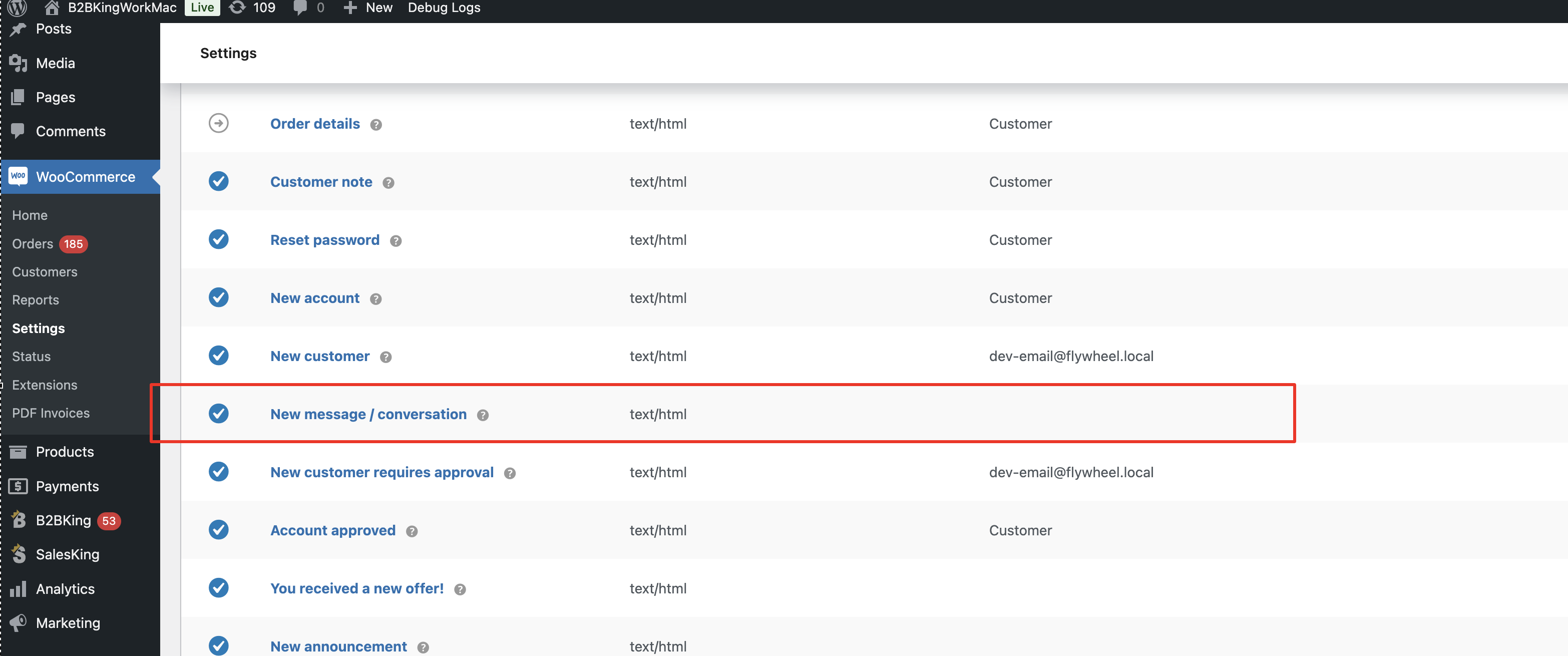
The plugin does have a feature for this, through the built in "new message / conversation" email. 

Please make sure that you have that enabled, under WooCommerce -> Settings -> Emails:

4153309545.png


If you do have that enabled but do not receive the email, I would suggest to check with a mail logging plugin to see if the email exists in the log or not: https://wordpress.org/plugins/wp-mail-logging/


Kind regards,

Stefan

12 Tickets 8
Miguel Zenha replied 2 years ago on January 10, 2025 at 4:35pm

Hi Stefan!

Thank you!
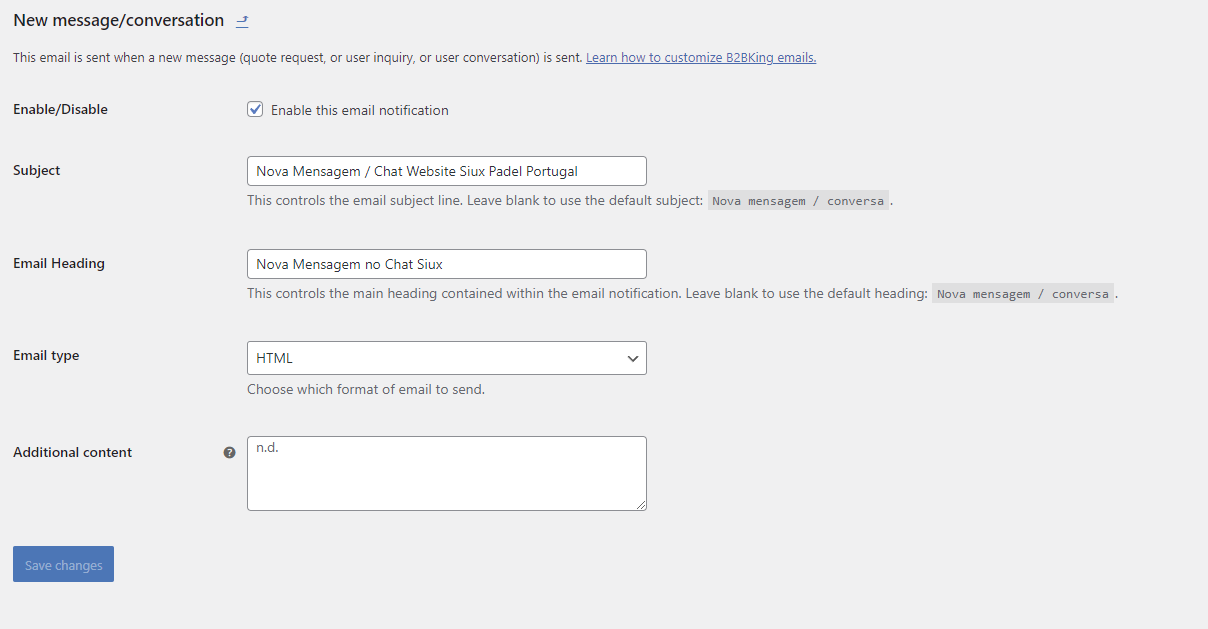
Is there any way I can add more email recipients to the "New message/conversation" email?


1724849518.png

Right now, I think that it only goes to the wordpress admin, but I wanted to add one more email.

Best regards and thanks
2,762
KingsPlugins replied 2 years ago on January 11, 2025 at 1:45pm

Hi again Miguel,

Yes, you can add the following PHP code snippet to control which addresses receive that email:

add_filter('b2bking_recipient_new_message', function($recipient, $conversationid){
	return '[email protected], [email protected]';
}, 10, 2);
add_filter('b2bking_recipient_new_message_quote', function($recipient, $conversationid){
	return '[email protected], [email protected]';
}, 10, 2);

Replace email1, email2 etc with your own email addresses that should receive it. You can add more addresses by just adding them using a comma (,).


The code snippet can be added to functions.php or any snippets plugin,


Kind regards,

Stefan

12 Tickets 8
Miguel Zenha replied 1 year ago on May 22, 2025 at 9:53am

Hi Stefan,

I have another question about this feature.

My quote request form has a select field, that has the id b2bking_field_1169, and has 3 options: Generic, Warranty, Other.

I want to change the email addresses which receive the email, based on the option that was selected on the field.

However, my code does not seem to work:

function get_recipient_emails_by_field() {
    $default_emails = '[email protected]';
    $warranties_emails = '[email protected]';
    
    // Verifica se o campo existe e tem o valor esperado
    if (isset($_POST['b2bking_field_1169']) && 
        sanitize_text_field($_POST['b2bking_field_1169']) === 'Warranty') {
        return $warranties_emails;
    }
    
    return $default_emails;
}
add_filter('b2bking_recipient_new_message', function($recipient, $conversationid){
    return get_recipient_emails_by_field();
}, 10, 2);
add_filter('b2bking_recipient_new_message_quote', function($recipient, $conversationid){
    return get_recipient_emails_by_field();
    
}, 10, 2);


I think that the $_POST['b2bking_field_1169'] is not fetching anything. Maybe I have to pass the conversation id in order to get the field?


Can you please tell me what's wrong with the code?

Best regards and thanks

2,762
KingsPlugins replied 1 year ago on May 28, 2025 at 9:20pm

Hi Miguel,

Generally the code appears correct, but I think I see the issue.


That's based on the "name" property, not ID, therefore I believe it should be

$_POST['b2bking_custom_field_1169'] 

(not b2bking_field_1169)


Let me know if that works please,

Stefan

Sign In