Public Ticket #3785272

dynamic prices dont work

Closed
Comments
1 Ticket
Stephan Brey started the conversation 2 years ago on December 17, 2024 at 1:46pm

Hello, we have a problem with our discount (20%) for our B2B customers. We have specified that every new B2B user must be activated manually and created a group that should receive a 20% discount. But it doesn't work. All new B2B customers do not receive a discount.

Regards
Stephan

2,762
KingsPlugins replied 2 years ago on December 18, 2024 at 3:37am

Hello Stephan,

Thank you for purchasing our plugin,


A few things to check:

-> I understand that you have a B2B customer group and that you applied a dynamic discount 20% rule to it.

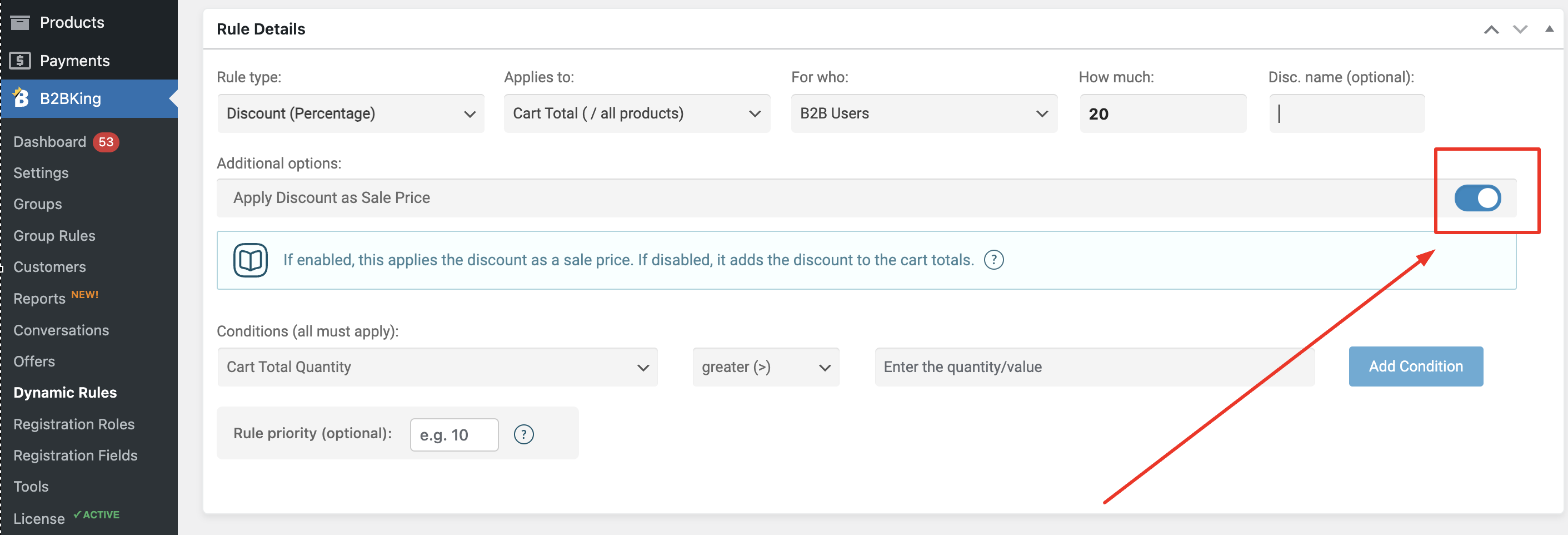
In your discount rule, please note this switch has an important role: 

9984380172.png

It should be enabled for the discount to be added directly to the product price. Otherwise if disabled, the discount is only added to the cart page and not visible until the customer goes to the cart page.


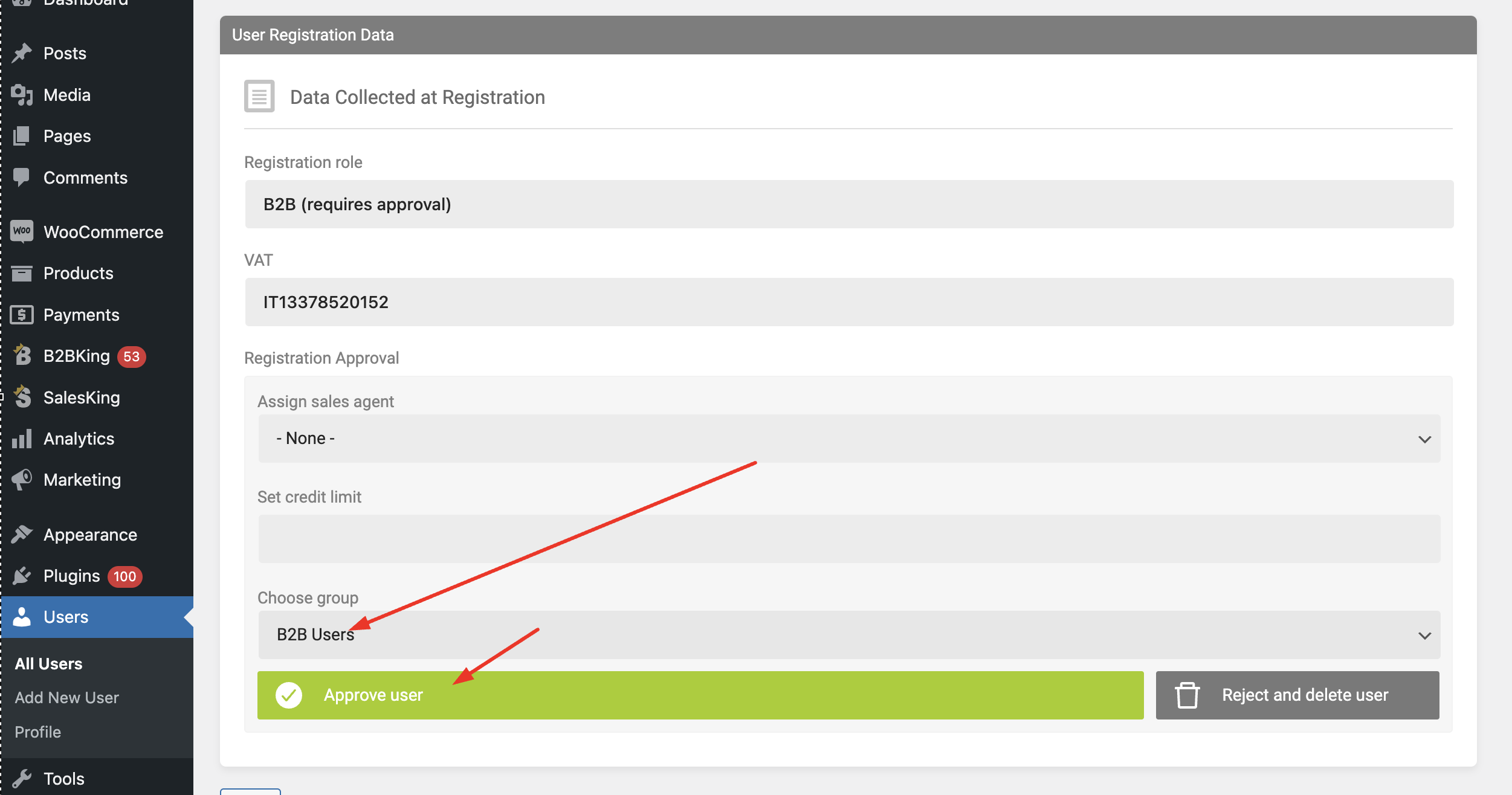
-> Please make sure that when you approve the user, the B2B user group with the discount is correctly selected:

2370918903.png

Before clicking on approve it is needed to first choose the group (the same group that has the 20% discount rule).


Other than that, I'm not entirely sure what the issue could be. It's also possible that there is some kind of conflict or similar issue with another plugin that affects prices, not allowing our discount rule to work correctly. I'd suggest to check that the site does not have other discount plugins.

If you'd like, we can look into this and directly troubleshoot the issue on your site. For that, we would need a backend login to the site, or a staging clone site we can work on.


Kind regards,

Stefan

2,762
KingsPlugins replied 2 years ago on December 19, 2024 at 11:37am

Sorry to hear that, I am not sure what the issue could be. Possibly there is some conflict with another plugin or code affecting how this works.

It would be great if we could troubleshoot this directly on the site. We would need a temporary backend access to the site, so we can look into it and help get this resolved for you as soon as possible.

2,762
KingsPlugins replied 2 years ago on December 25, 2024 at 9:37am

Hi again,

Thank you for the access details, we received that and I am able to login to the site dashboard.


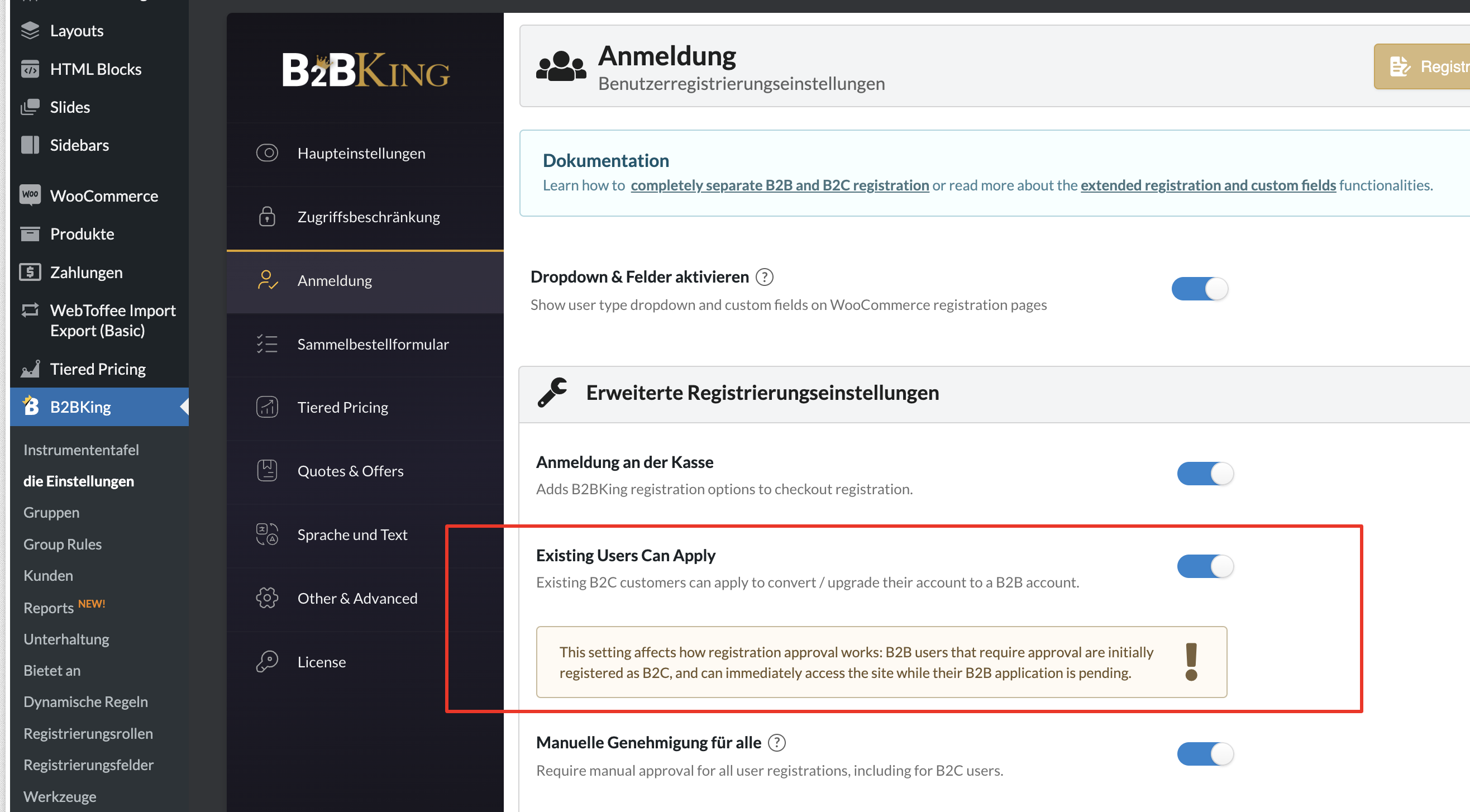
I checked this now on the site. The plugin was set so that when a new user registers they are initially created as a B2C account with B2B status pending approval.

This means that initially the account is B2C and does not yet have the discount, but will have it after you approve them as B2B.


I took a quick video that shows this more clearly: https://www.loom.com/share/f7cbe131b96c430796bef1b7f03986ae?sid=d39fd1e5-6a80-491a-ac83-a508c04cf414

In the video the user is initially B2C and cannot see the discount, but then we approve the user as B2B and they do have the discount.


If you would like to disable this behaviour where users are initially B2C, please disable this setting: https://prnt.sc/YOnsCJUkSoib

1938165148.png


Kind regards,

Stefan

1 Ticket
Stephan Brey replied 2 years ago on December 25, 2024 at 9:48am

Hi and thanks work,


I think, thats not correct. We have an extra Login for B2B User called "Händler" in the main menu. This was built with

the Shortcode from B2B. Try it here please.

Stephan

Sign In