 1 Ticket
I have a project to make a B2B page and I am looking at your product and using your demo I cannot figure out how to create sales agents.
 1 Ticket
I have a project to make a B2B page and I am looking at your product and using your demo I cannot figure out how to create sales agents.
 2,762
2,762
Hello Victor,
Thank you for getting in touch with us,
To set a user as a sales agent, you can go to the site backend, Users page, and click on the user profile. Then you can scroll down to this area:
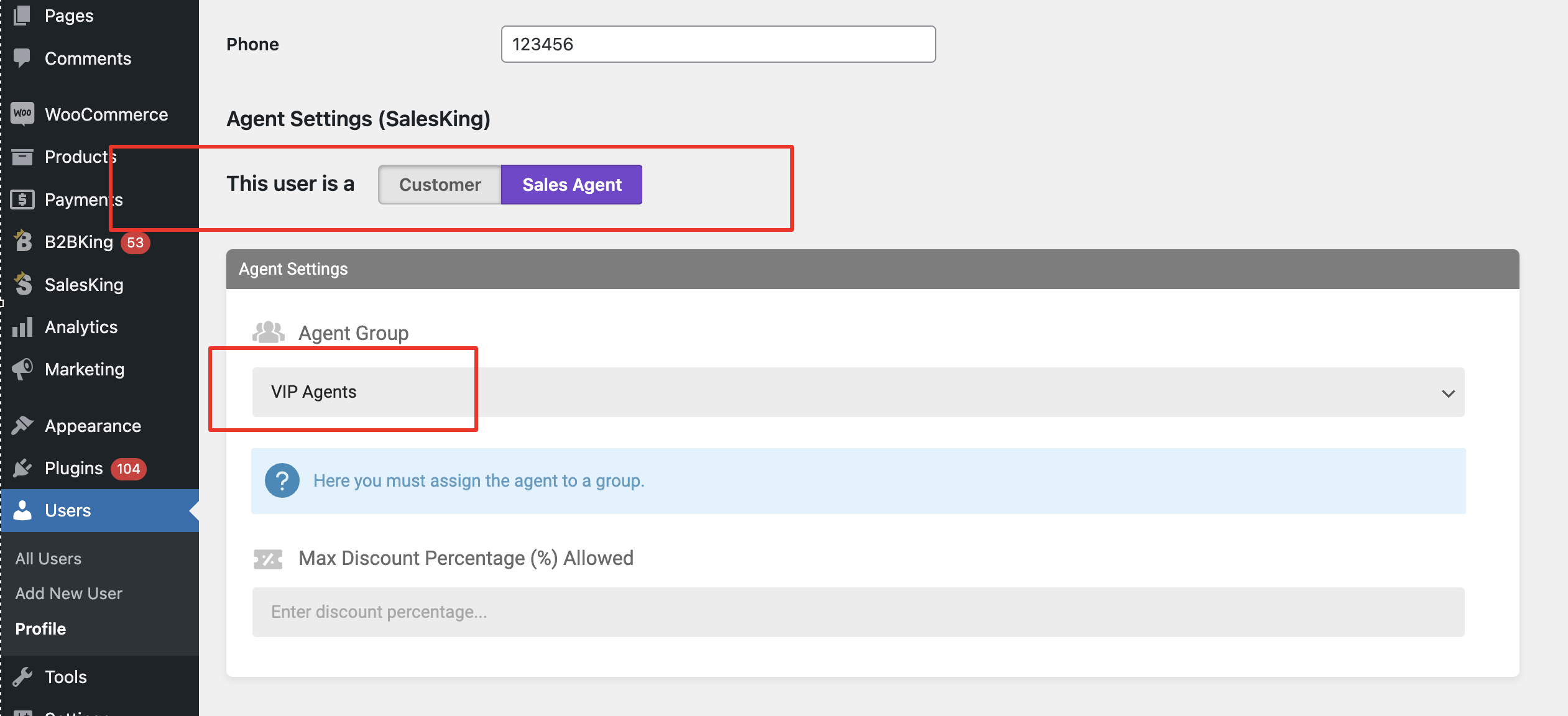
Here you can click on Sales Agent and then select an Agent Group, and then save the user. The user is now an agent and will have access to the agent dashboard.
You can also configure a sales agent registration form as described here: https://b2bkingplugin.com/docs/how-to-add-a-sales-agents-registration-form/
Kind regards,
Stefan