Public Ticket #3835167

Captch Integration Spam Issue

Closed
Comments
2 Tickets
Deep started the conversation 2 years ago on March 10, 2025 at 10:34am

We are having a lot of spam issues on the B2B registration form.
We want to implement the captcha so that we can reduce spam.
We have already checked the support article https://b2bkingplugin.com/docs/how-to-stop-registration-spam/
We have tried all the given plugins, but they did not work.
In our case, the registration pages are separate from the default woocommerce registration pages.
Here's the link to our staging website: https://kbfrpt9eua-staging.onrocket.site/
Personal registration form B2C https://kbfrpt9eua-staging.onrocket.site/personal-registration/ 
B2B registration from: https://www.keltek.ca/business-registration/

Can you please integrate the captcha on these forms or let us know how we can do so when we have a separate registration form other than WooCommerce?

Thanks

2,762
KingsPlugins replied 2 years ago on March 11, 2025 at 10:09pm

Hi there,

Thank you for purchasing our plugin,


Captcha plugins should work even on separate pages / forms, so I am not sure why that's not working for you.

I think most likely there's either a configuration problem such as an issue with your captcha keys (please note captcha plugins require you to set up a captcha key at https://cloud.google.com/recaptcha/docs/create-key-website ), or there's an issue with some kind of plugin conflict (maybe with a security or caching plugin).


We can help check this directly and troubleshoot it if you'd like. For that, we would need a backend login to the site or staging site.


Kind regards,

Stefan

2,762
KingsPlugins replied 2 years ago on March 12, 2025 at 8:40am

Thank you for the access details,

To set it up, I followed these steps:

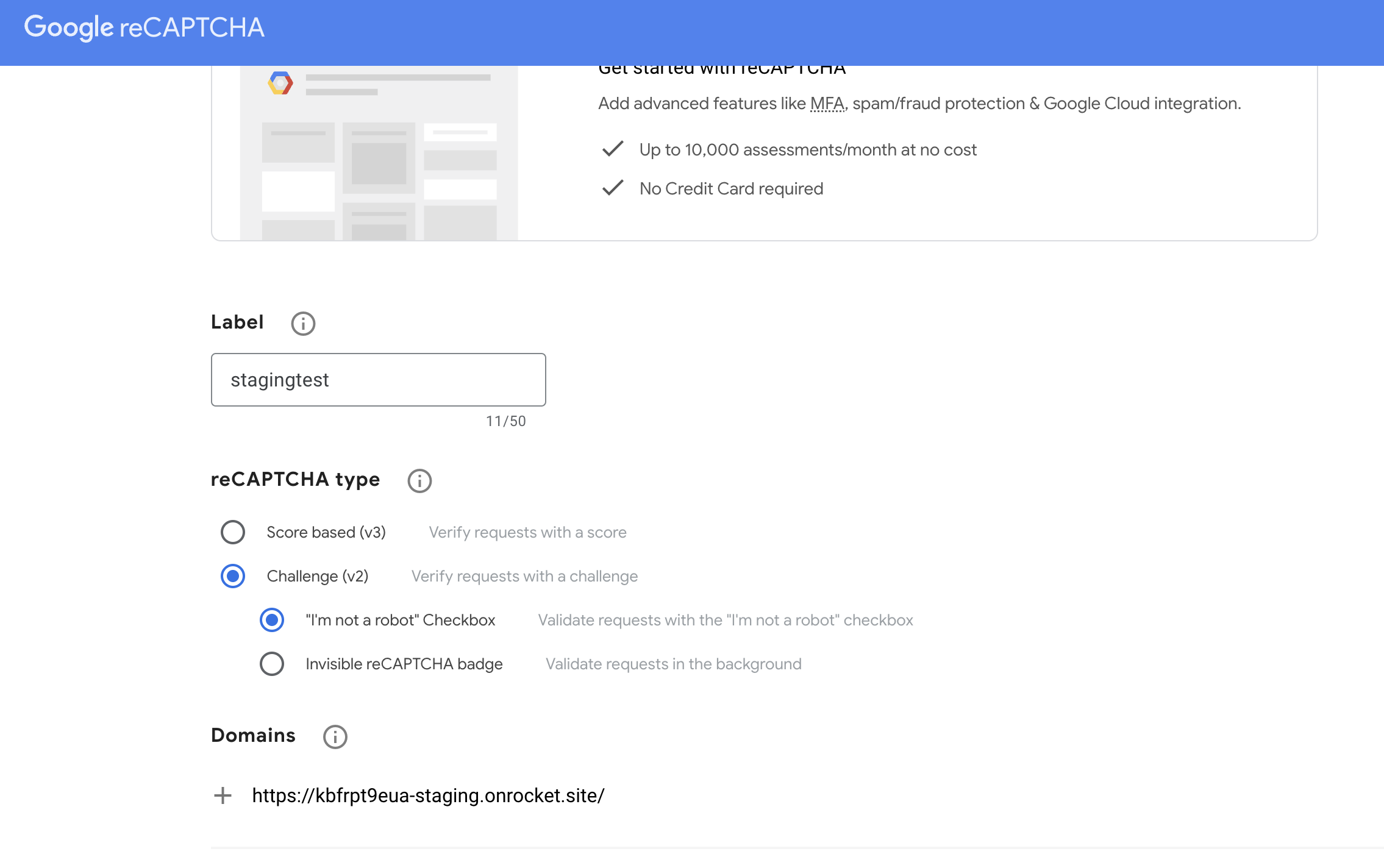
(1) I created a captcha key as follows:

7099788823.png

(domain has to be entered without https unlike in the image)

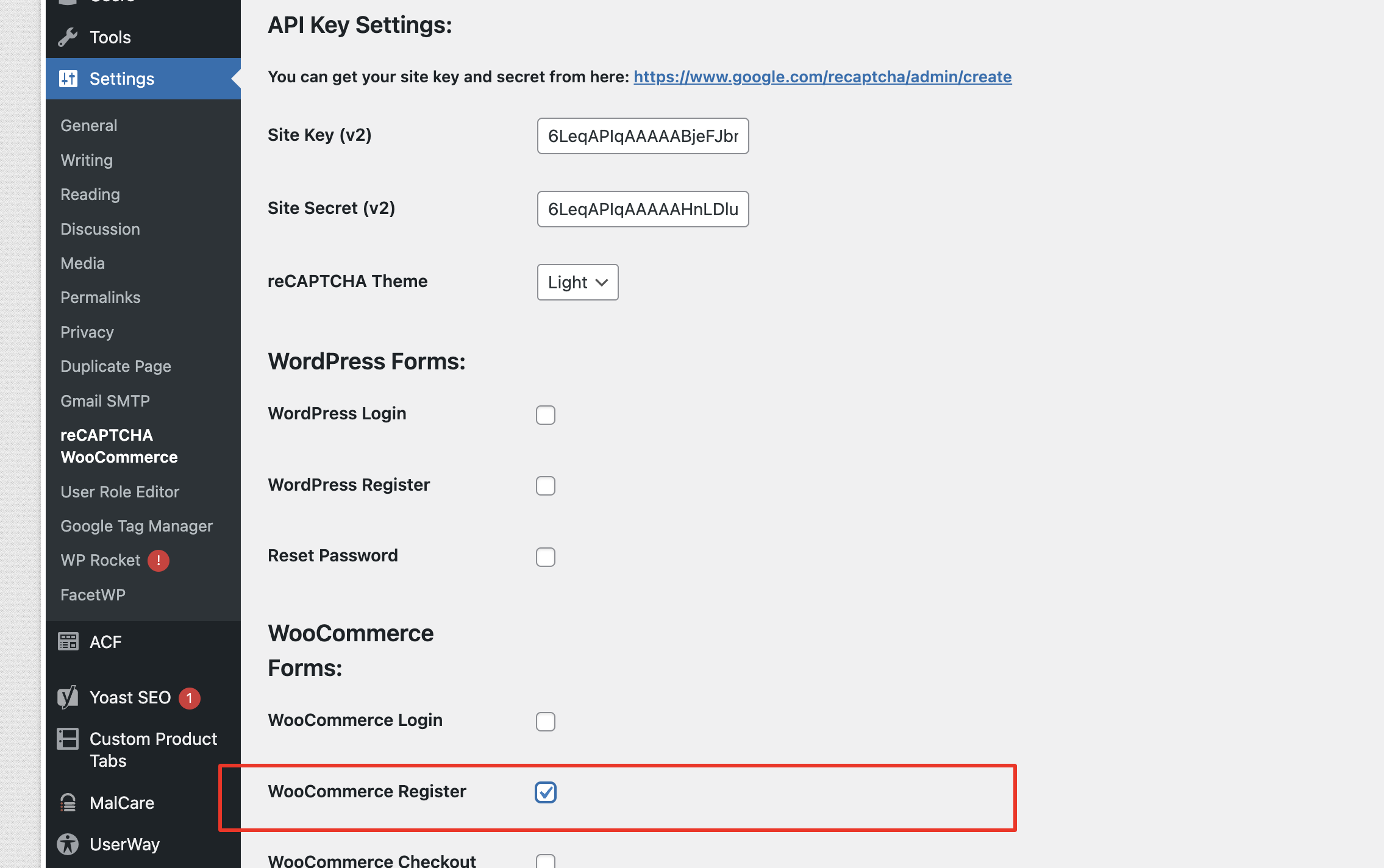
(2) In the recaptcha for woocommerce plugin, I entered the keys and enabled Woo registration:

5607552553.png

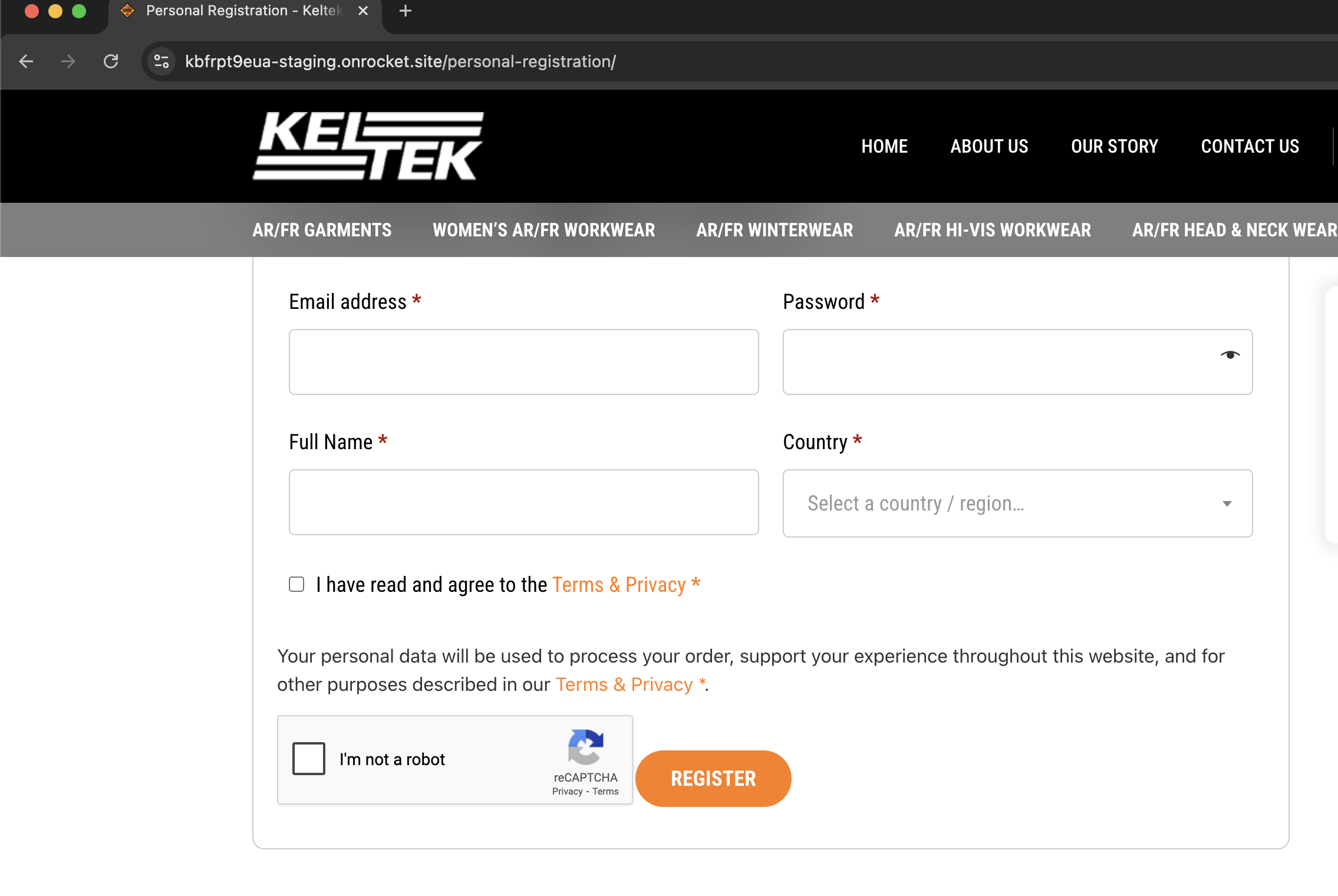
(3) I can now see the I'm not a robot captcha here:

2383705953.png


2,762
KingsPlugins replied 2 years ago on March 13, 2025 at 2:32pm

Hi,

It should be the same process - it may be a problem with the keys, I suggest using the "I'm not a robot" option during key creation, rather than the V3 or invisible recaptcha option.


We can configure it directly if you can share a backend site access.

Sign In