Public Ticket #3837495

css customization

Closed
Comments
13 Tickets 10
Francesco started the conversation 2 years ago on March 13, 2025 at 10:54am

Hi,

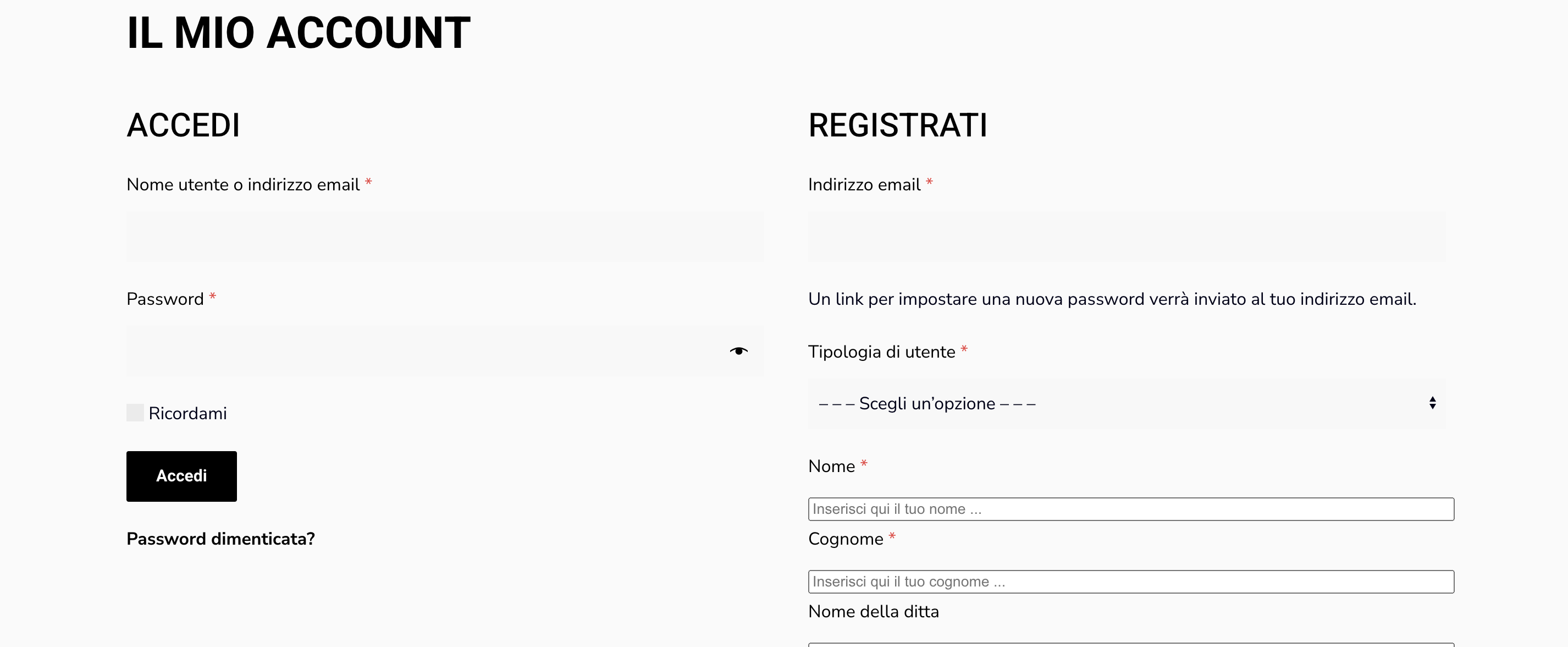
I would like to make some CSS modifications to the attached registration form. Specifically, I would like to customize the styles of the form fields (e.g., borders and height) and adjust the styling of the paragraphs.

Could you please provide the appropriate CSS classes or selectors I need to target in order to make these changes? Any guidance on customizing the form layout or specific elements would be greatly appreciated.

Thank you in advance for your assistance.

Best regards,

Francesco

2,762
KingsPlugins replied 2 years ago on March 13, 2025 at 5:10pm

Hello Francesco,

Thank you for purchasing our plugin,


Certainly, I'd be happy to try write some CSS to make that form display better and more in tune with the rest of the theme.

I looked into it now on your site at https://www.kitchenselite.com/mio-account/ 

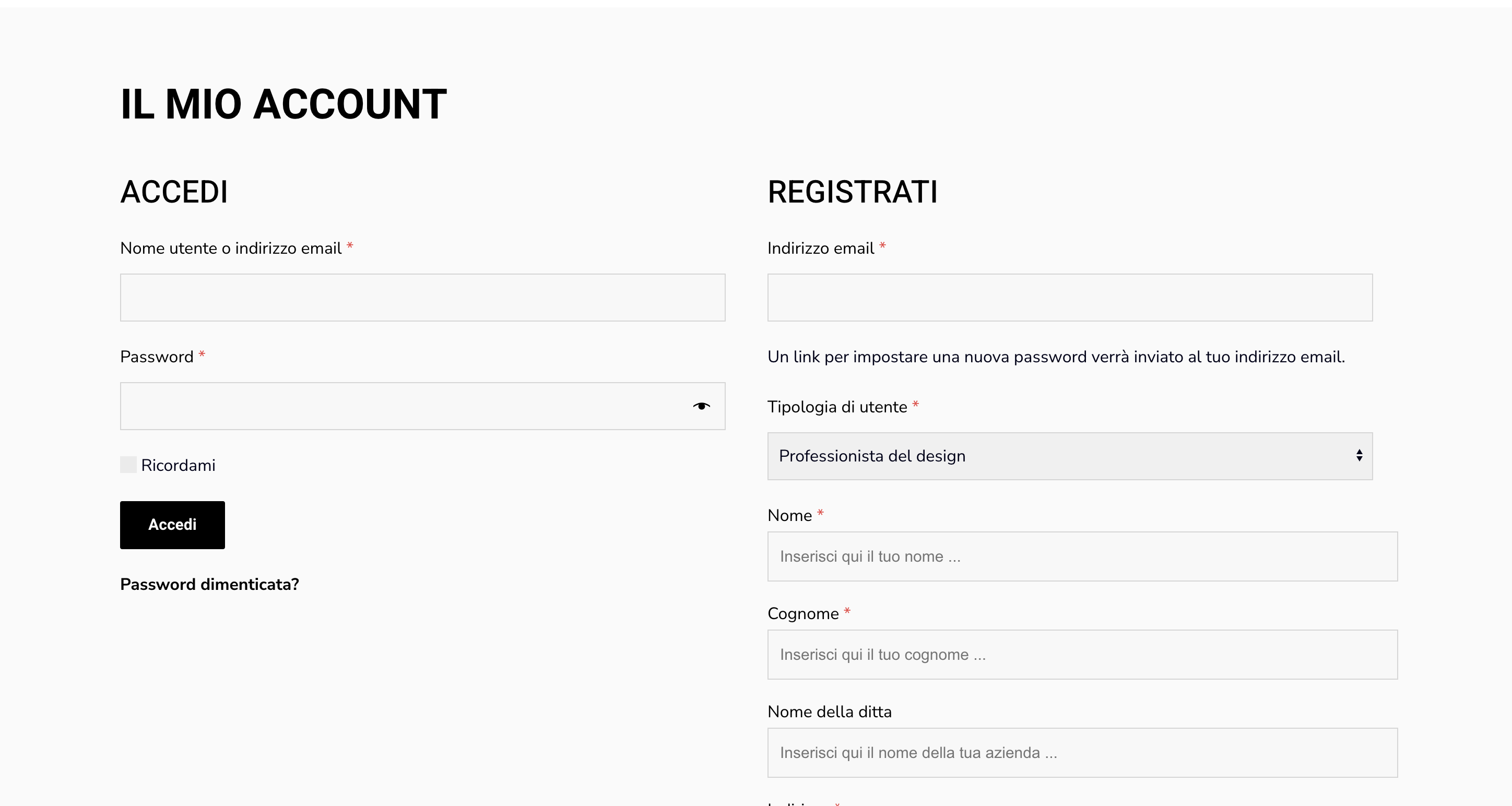
In my opinion the current input fields such as the ones for login also need a border because the grey is very similar to the background (at least they appear very similar on my monitor).

9705953226.png


I wrote the following CSS:

.b2bking_logged_out.woocommerce-account input.input-text, .b2bking_logged_out.woocommerce-account select {
    border: 1px solid #d6d6d6 !important;
}
.b2bking_custom_registration_field {
    height: 46px !important;
    background: #f8f8f8 !important;
    font-size: 15px !important;
    border: 1px solid #d6d6d6 !important;
    padding: 0px 11px;
    margin-bottom: 17px !important;
}
.b2bking_custom_registration_container label {
    margin-bottom: 1px !important;
}
.b2bking_logged_out.woocommerce-account select#b2bking_custom_field_78 {
    border: 0px !important;
}
.b2bking_logged_out.woocommerce-account select#billing_state {
    border: 0px !important;
}


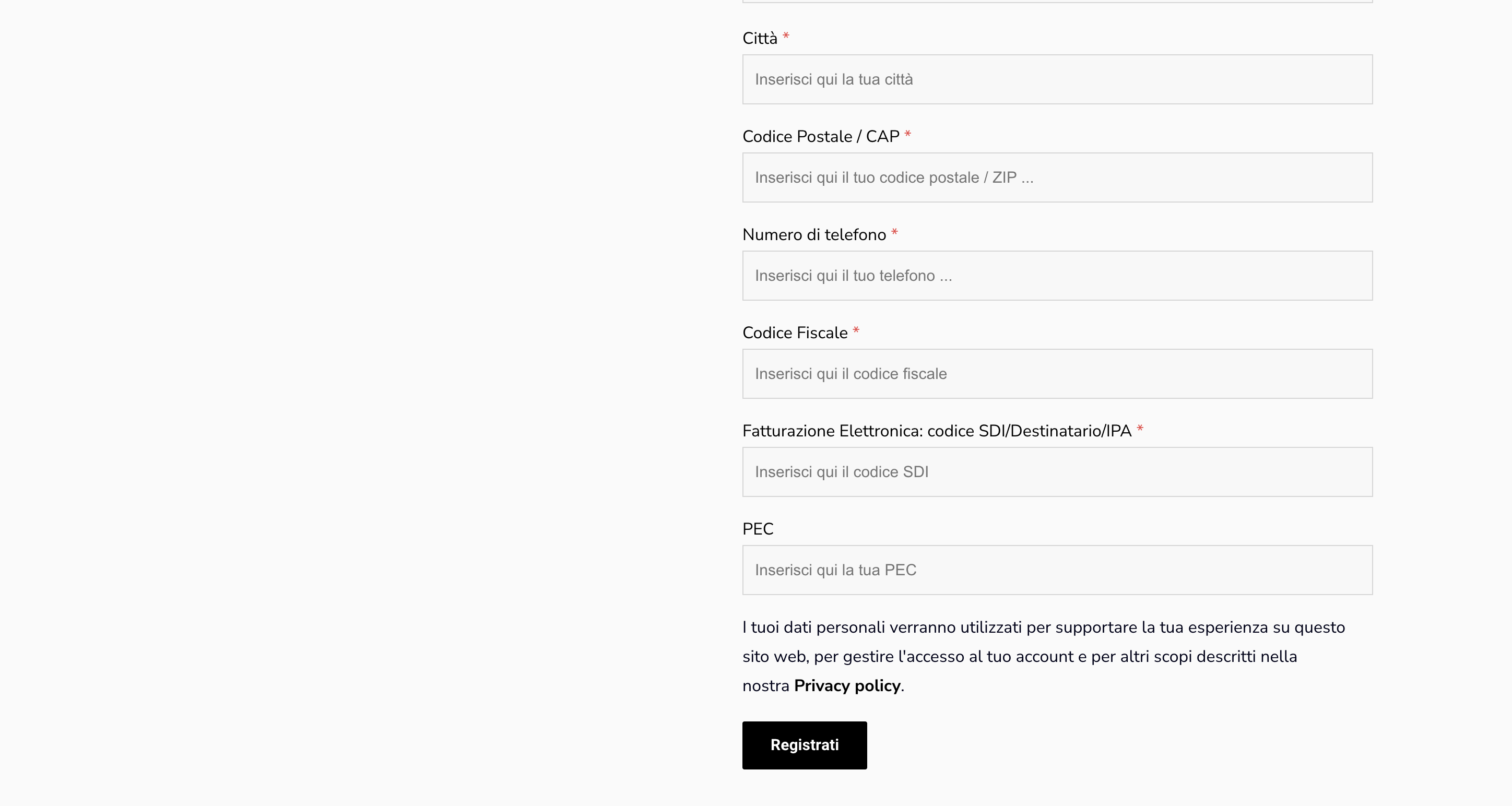
When adding it to my local browser, I see:

4368025615.png

2054999604.png


This can be added to any area that supports CSS, usually to Appearance -> Customize -> Additional CSS / Extra CSS.


Kind regards,

Stefan


Sign In