Public Ticket #3987492

Product Price returns 0

Closed
Comments
6 Tickets 3
Alexandros started the conversation 1 year ago on May 13, 2025 at 7:23am

Hello,

After the recent update of the B2BKing plugin, I’ve encountered a critical issue when editing products in WooCommerce.

Specifically:

  • The Regular Price field of a product appears empty or gets reset to zero every time I open the product edit page in the admin panel.
  • However, the product price still shows correctly in the product list view (admin table), which means the value exists in the database (as _price), but the _regular_price meta key is missing or being removed.

This behavior started immediately after the latest B2BKing update. I suspect the plugin may be affecting or overriding the default WooCommerce pricing fields.

In order for us to skip the issue we managed to override it by adding the snippet below


add_action('load-post.php', 'ensure_regular_price_on_product_edit');
function ensure_regular_price_on_product_edit() {
    if (!isset($_GET['post'])) return;     $post_id = intval($_GET['post']);     if (get_post_type($post_id) !== 'product') return;     $regular_price = get_post_meta($post_id, '_regular_price', true);
    $price = get_post_meta($post_id, '_price', true);     if ($regular_price === '' && $price !== '') {
        update_post_meta($post_id, '_regular_price', $price);
    }
}


Please investigate this as it creates a serious risk of losing product prices during simple edits.

Let me know if you need admin access or more technical details.

Best regards,

Dionicandles

2,762
KingsPlugins replied 1 year ago on May 13, 2025 at 9:47pm

Hi Alexandros,

I've tried to reproduce the problem on my test environment but haven't been able to replicate it. Additionally, we haven't received similar reports from other customers regarding this behavior.


To help us identify if this is indeed related to B2BKing, could you please:

1. Temporarily deactivate B2BKing to confirm whether the issue persists without the plugin active? This would help us determine if the plugin is directly involved in the problem.

2. If you confirm B2BKing is related to the issue, it might be due to a conflict with another plugin or theme. In this case, I'd be happy to investigate further if you could provide temporary backend access to your site.


Kind regards,
Stefan

6 Tickets 3
Alexandros replied 1 year ago on May 21, 2025 at 3:52pm

Hi and thank you for your time trying to help our issue,

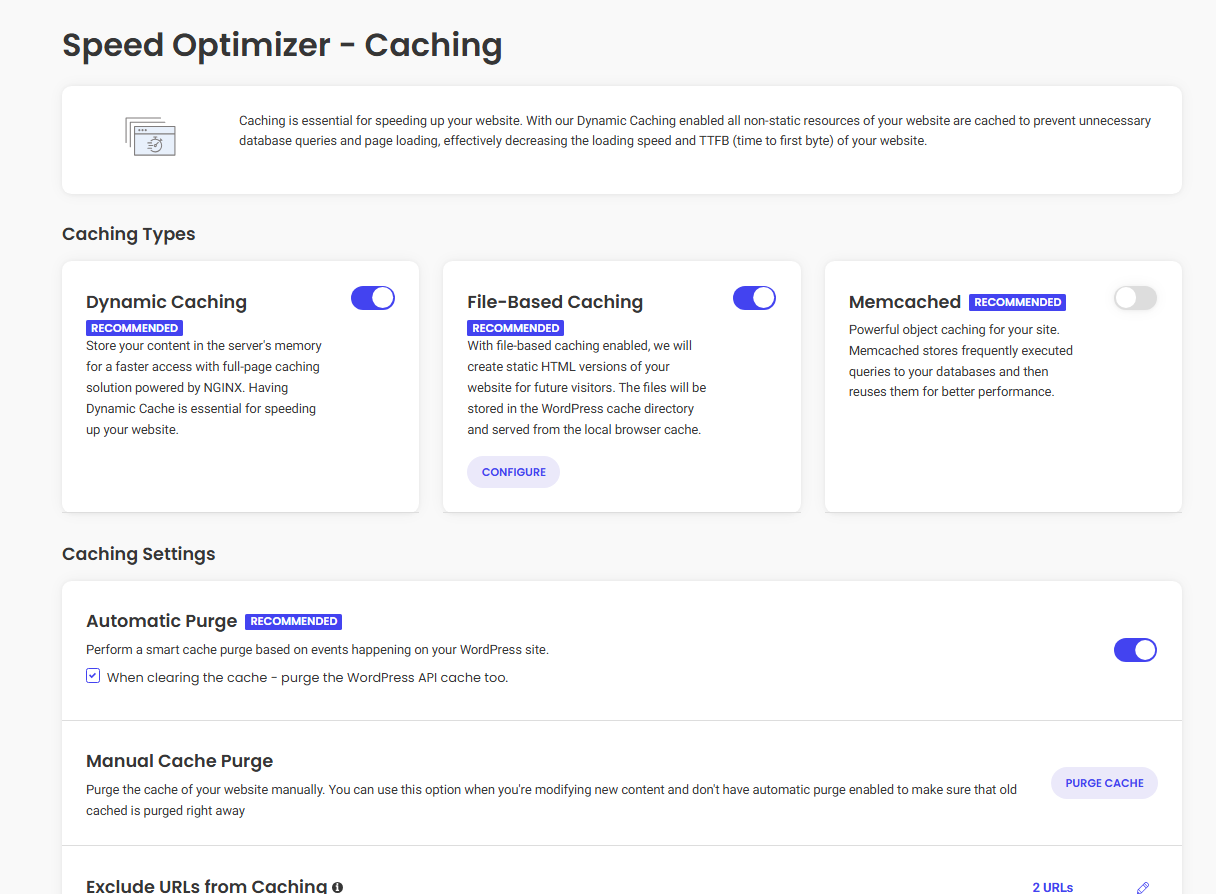
it was all enabled and i tried to deactivate both memcached and the snippet i added in order to test and it seems to work for now.

Do you recommend to keep memcached disabled?

7279098259.png

6 Tickets 3
Alexandros replied 1 year ago on May 22, 2025 at 12:09pm

After a 2 minutes conversation with siteground, they know that there are many conflicts with many plugins and they disabled the 

Minify CSS Files & Combine CSS Files 

and everything worked..

thank you for your time and efford once again!

1
2,762
KingsPlugins replied 1 year ago on May 22, 2025 at 8:45pm

Hi Alexandros,

I'm glad to hear the issue appears resolved! 

If you do encounter any further issues, I would definitely recommend keeping memcached disabled in this case. Object caching systems like memcached can sometimes create unexpected issues, particularly with pricing data and product information.


If you notice any other issues, please let us know!

Kind regards,
Stefan

Sign In