6 Tickets
2
6 Tickets
2
Dear B2B King Support Team,
I hope this message finds you well.
I am experiencing a persistent issue with a specific product on my website where a quantity input box remains visible, even after I have attempted to remove all associated B2B King rules. I would appreciate your help in identifying the source of this issue.
1. Environment Details:
- WordPress, WooCommerce, B2B,
- Theme: Divi by Elegant Themes
2. Description of the Problem:
- Goal: I had set up a test product with B2B King's tiered pricing and quantity rules. I am now trying to revert this product to a standard WooCommerce product with no special rules.
- Actual Behavior: After removing all settings I could find, the product page on the front end still displays a quantity input box, suggesting a minimum quantity rule is still active.
- Expected Behavior: The product should display the standard WooCommerce quantity field (defaulting to 1) without any special tiered pricing or minimum quantity enforcement.
3. Troubleshooting Steps Already Taken:
To resolve this, I have already systematically performed the following actions without success:
-
Checked the Product Edit Page:
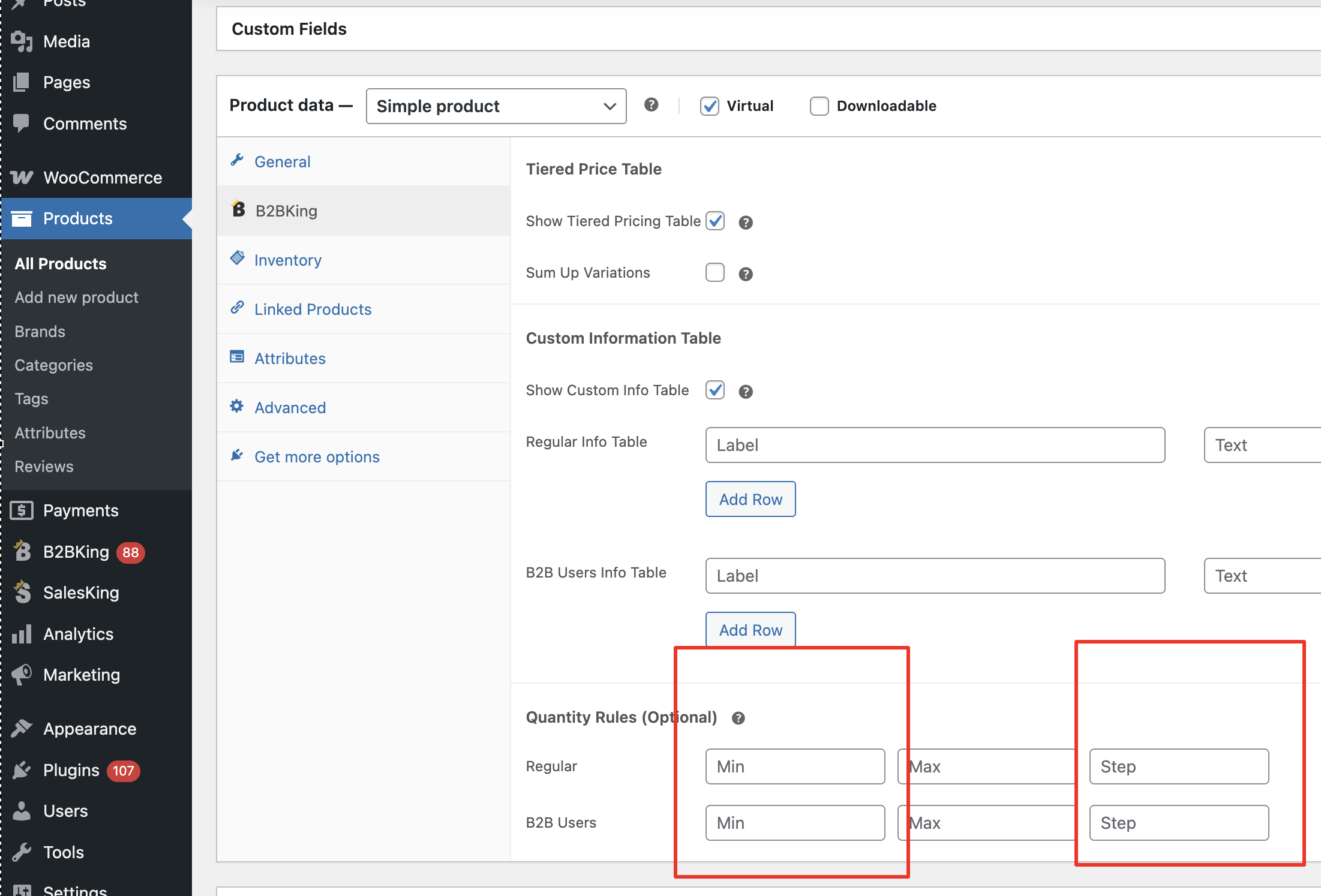
- I have completely emptied the "Tiered Pricing" table in the Product Data > B2B King panel. There are no rows remaining.
- I have checked the separate "Minimum Order Quantity" field for all user groups in that same panel and ensured it is blank.
-
Checked Global Rules:
- I have reviewed all Dynamic Rules under B2B King > Dynamic Rules and confirmed that no minimum quantity or package rules apply to this product or its category.
- I have reviewed the settings for all B2B King Groups and confirmed there are no group-wide minimum quantity rules active.
-
Cleared All Caches:
-
- I have repeatedly cleared all server, plugin (WP Rocket/etc.), Divi, and browser caches after making changes. The issue persists even in incognito/private browser windows.
4. Relevant URL:
You can see the product with the persistent quantity box in the link above.
Given that I have checked all the locations for these settings, I suspect the value might be stuck in the database or there is a mechanism I am overlooking. Could you please provide guidance on what might be causing this and how to resolve it?
I am willing to provide temporary admin credentials in a secure manner if you need to investigate the backend settings directly.
Thank you for your time and assistance.
Best regards, Stefan