 1 Ticket
1
1 Ticket
1
The field is not displaying on the frontend of the site. Kindly refer to attachments
 1 Ticket
1
1 Ticket
1
The field is not displaying on the frontend of the site. Kindly refer to attachments
 2,762
2,762
Hi Dashan,
Thank you for purchasing our plugin,
I understand you're referring to the "Resale Certificate / Tax ID Number" field there. It looks like that's configured as a VAT-type field. Therefore it will show only after you select a linked country from the dropdown:
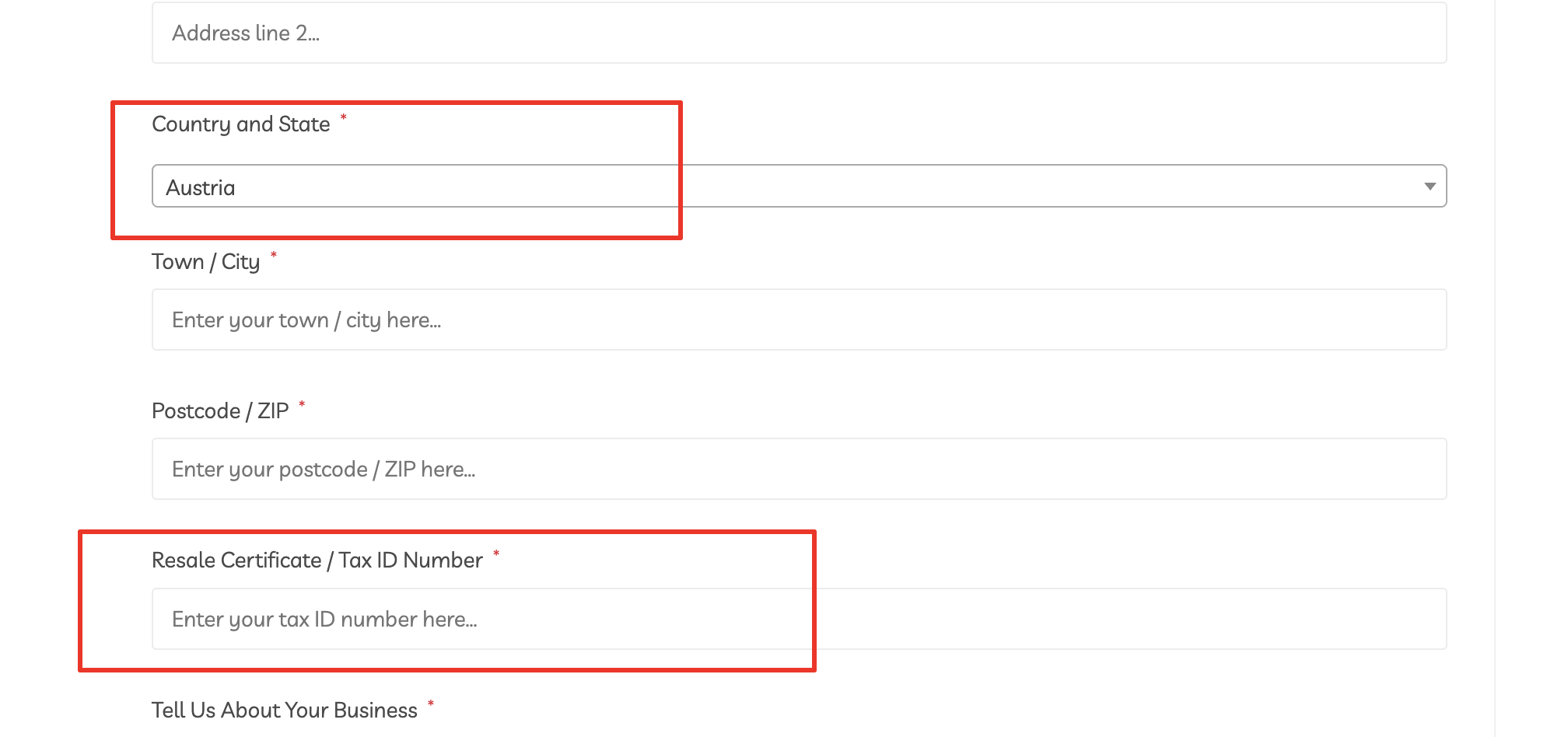
However, file upload fields are not compatible with this, so you would need to configure it as a regular file upload field.
I recommend the following:
(1) In B2BKing -> Registration Fields, create a separate Certificate File Upload field that is set as follows: https://prnt.sc/CsXlA_Jw-r67
It could be an optional field so that only users to whom it applies have to upload there.
(2) If you wish to also have a Tax ID Number text-type field, that would need to be separate of the file upload field.
Let me know if I can help,
Kind regards,
Stefan
1 Ticket
1
Thanks for your help. When you mentioned VAT ID that was the clue to resolve the issue of the file upload not displaying on the registration form with the B2B King Wordpress plugin. The fix was actually changing the Woocommerce Billing Field Connection under Billing Options for the Registration Rule to 'Custom User Meta Key Mapping'. This ticket can be closed.