Public Ticket #4396136

Store Name not populating

Closed
Comments
16 Tickets 9
Cor started the conversation 1 year ago on August 19, 2025 at 11:14am

Hi Stefan,

When registering as a vendor it asks for a Store name (photo 1).

Once registered and you go to your settings the Company Name is populated and not the Store Name. You need to enter the store name again (photo 2).

Also, how is the username selected?

Attached files:

2,762
KingsPlugins replied 1 year ago on August 22, 2025 at 12:10am

Hi Cor,

Could you please check if you have the latest versions of both plugins installed?
- MarketKing Core 2.0.92
- MarketKing Pro 2.0.90

There have been some recent updates that might be relevant to this issue.

Regarding the username - this is automatically generated by WooCommerce based on the email/name provided during registration.

If the issue persists after confirming you're on the latest versions, would you be able to provide temporary admin access to the site so we can take a closer look and test directly?

Kind regards,
Stefan

2,762
KingsPlugins replied 1 year ago on August 26, 2025 at 2:27am

Hi again,

Thank you for your patience on this,


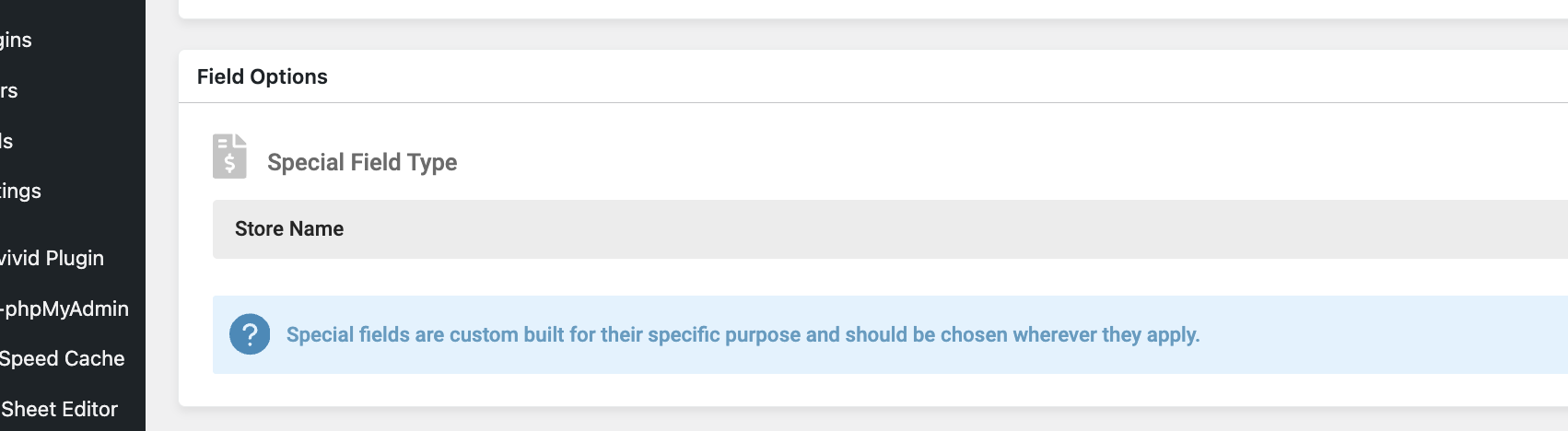
I checked the issue now on the site. The problem seems to be that that field is set not as a 'Store name' field, but rather as a custom key field connected to 'billing_company':

https://prnt.sc/lYqtxvwDx4Vm


I modified the field now and set it as a store name field:

4065904621.png


I believe that should resolve it,

Let me know if you see any further issues,


Kind regards,

Stefan

16 Tickets 9
Cor replied 1 year ago on August 26, 2025 at 5:55am

Hi Stefan,

Thank you. I'm not sure how that happened as the form field are as they were out the box. Either way, this is now resolved. Please close the ticket. 

Sign In