Public Ticket #4516454

Change the front end text in Sales King

Closed
Comments
13 Tickets
Marcus started the conversation 11 months ago on November 14, 2025 at 3:34pm

Hi Team, 

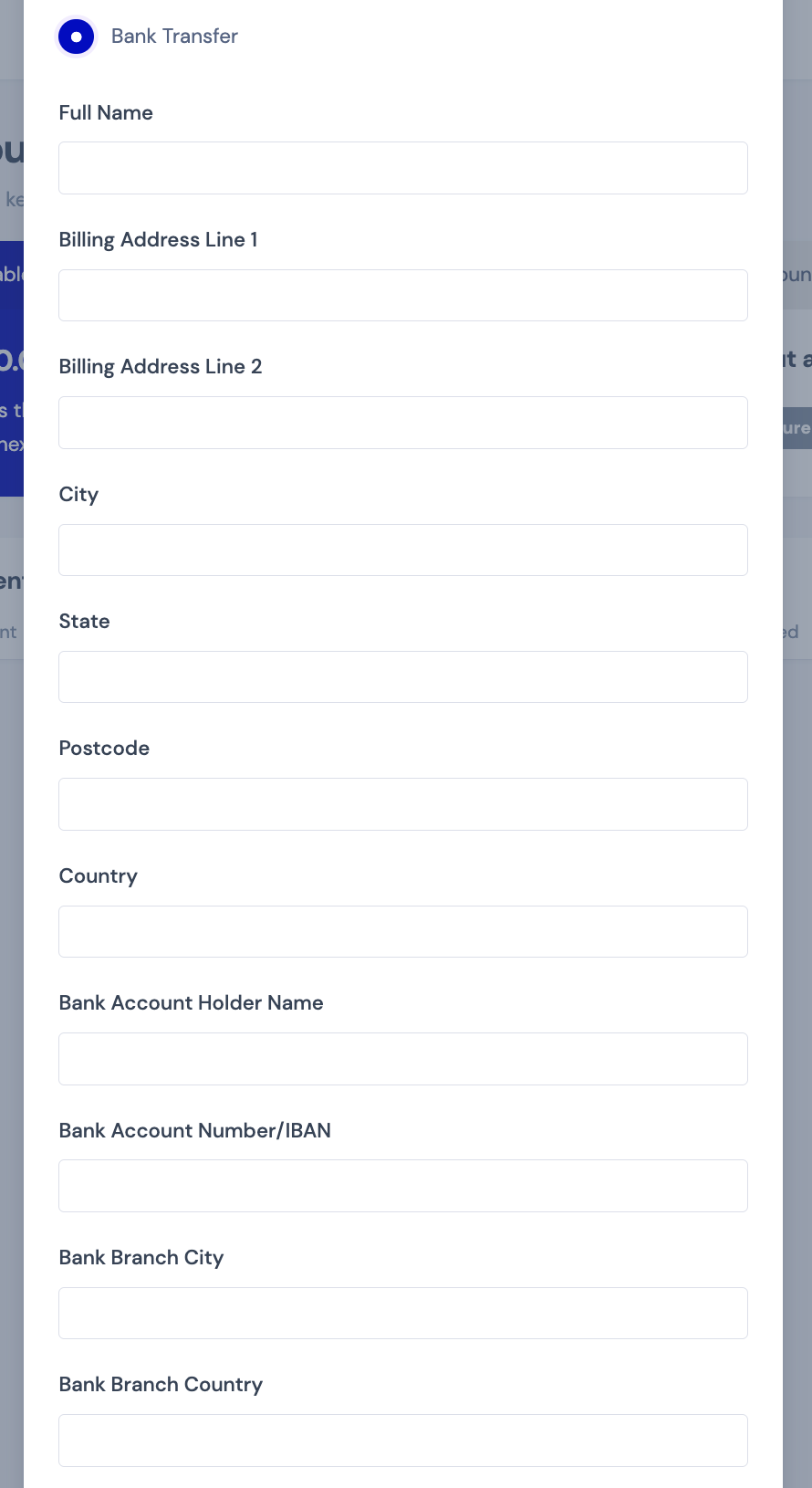
2116897126.png

I was wondering if I want to change the choice of words here to for example, Bank Branch City to Bank Name, and Bank Branch Country to National ID number. Also, text like Sales Agent to HCP Partner. How can I change it? 

I saw your other reply to another enquiry is to use Loco Translate. Is there a way you can guide me through how it works? 

2,762
KingsPlugins replied 11 months ago on November 15, 2025 at 8:44pm

Hi Marcus,

Thanks for reaching out!

While Loco Translate is one option, I'll give you a simpler code snippet that you can add directly to your theme's functions.php file or any code snippets plugin. This way you don't need to install additional plugins:

add_filter('gettext', 'customize_salesking_text', 20, 3);
function customize_salesking_text($translated, $text, $domain) {
if ($domain === 'salesking') {
$text_changes = array(
'Bank Branch City' => 'Bank Name',
'Bank Branch Country' => 'National ID Number',
'Sales Agent' => 'HCP Partner',
// Add more text replacements here as needed
// 'Original Text' => 'New Text',
);

if (array_key_exists($text, $text_changes)) {
return $text_changes[$text];
}
}
return $translated;
}

Simply add any other text strings you want to change to the `$text_changes` array following the same pattern. The original text goes on the left, and your replacement text on the right.

This should handle all the text changes you mentioned. Let me know if you need help customizing any other strings,

Kind regards,
Stefan

Sign In