
Public Ticket #4545868

Browser native form validation not working

Closed
Comments
3 Tickets
Christian Boberg started the conversation 7 months ago on February 24, 2026 at 11:10am

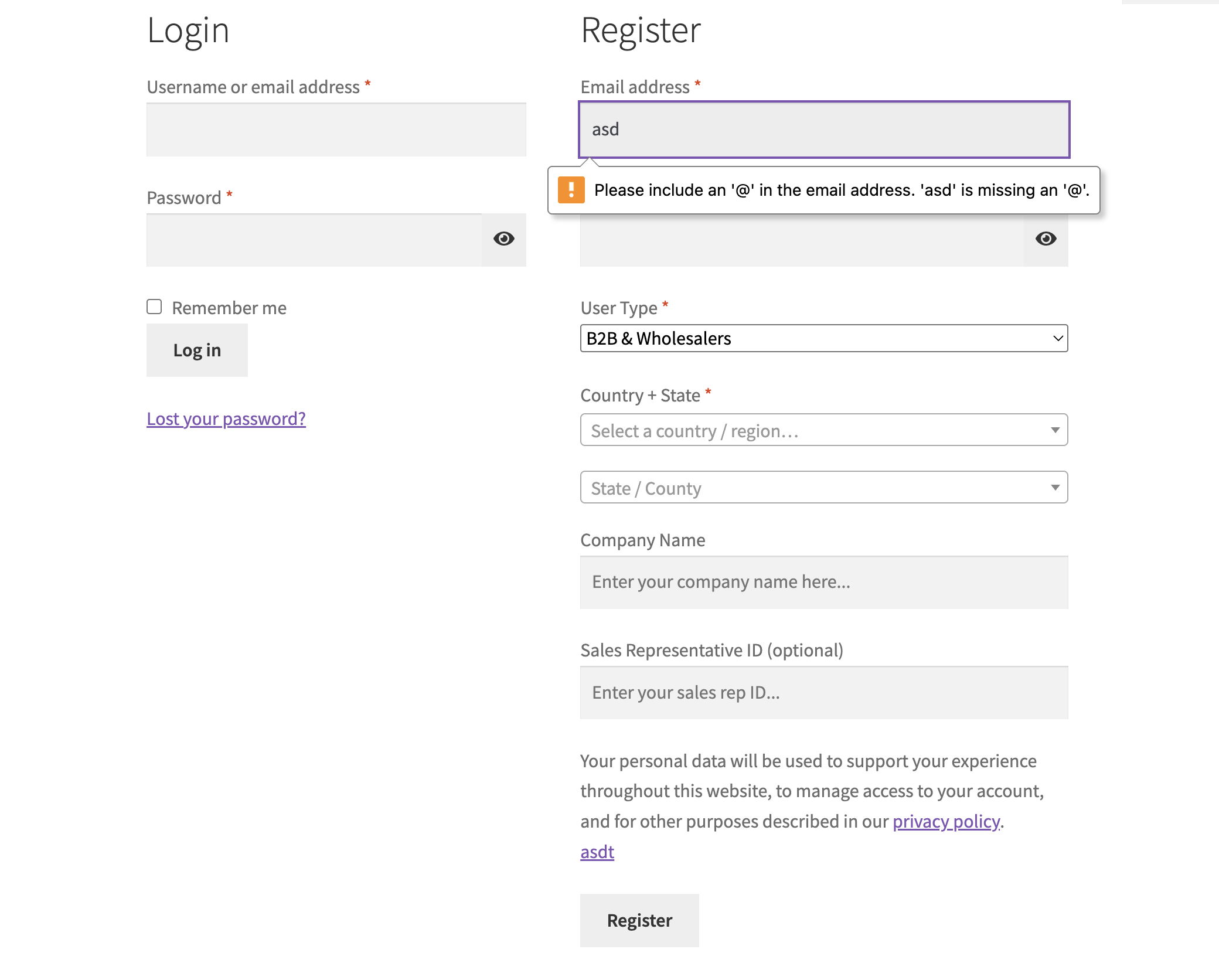
Hi, There's an issue with the registration form (possible login form as well, haven't checked) where if you go through my-account default registration, it will show the error message popover for the e-mail field which you can see in the screenshot. The same thing doesn't happen when using  [b2bking_b2b_registration_only]

On submit, the browser will scroll to that field but show no error message. 

My guess is that the markup in the shortcode content is invalid thus not triggering to show the error message or it's some js issue.

Attached files:

3 Tickets
Christian Boberg replied 7 months ago on February 24, 2026 at 11:23am

Correction: This happens when you enable the following setting:

Enable Dropdown & Fields 

Show user type dropdown and custom fields on WooCommerce registration pages


2,762
KingsPlugins replied 7 months ago on February 25, 2026 at 10:55am

Hi Christian,

Thank you for reaching out,


I did a few local tests now with our latest plugin version but I cannot reproduce this issue. I tried with different settings and both my account and shortcode pages:

1268149127.png


I believe the issue likely has to do with a conflict on the page:

  • There may be another element that is forcing the <form> tag to close early or is interfering with the form structure.
  • Sometimes we see multiple forms on the same page, such as hidden forms designed to show on mobile screens that prevent the validation. I would suggest checking the browser console to see if there are any errors or messages saying that a form or field is not focusable.


To help troubleshoot this, would you be able to share a link to a page on your site or a staging site where we can reproduce the issue?


Kind regards,

Stefan

3 Tickets
Christian Boberg replied 7 months ago on February 25, 2026 at 11:23am

Thank you Stefan,

I can now confirm that it's a theme related error as it works with the Storefront theme. What was tricking me to believe it was due to b2bjing was that it did work for the regular customer role. I'll see if I can find a sollution to the problem myself. Thanks again!


2,762
KingsPlugins replied 7 months ago on February 26, 2026 at 2:59pm

Hi Christian,

Great to hear you tracked it down,

If you need any help with it, let me know. In my experience, usually the problem I see is multiple forms or hidden forms or elements - sometimes they are redundant and can be deleted or removed with a script to solve it. I can take a look if you'd like to share a page link,

Kind regards,
Stefan

Sign In