11 Tickets
8
Hello,
I came across this minor issue while setting up B2BKing using the White label feature in the Helper plugin.
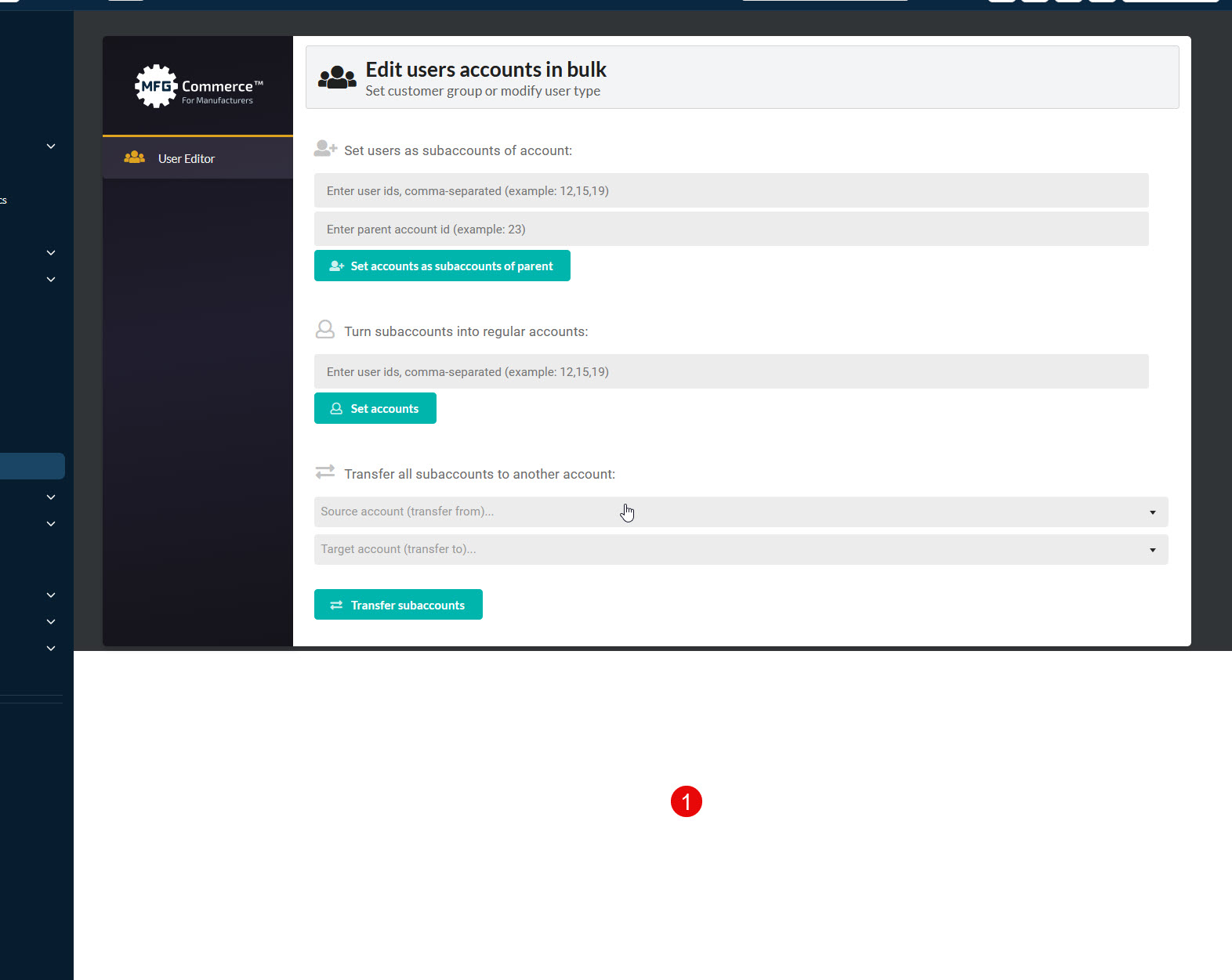
When a White Label name is set via the Helper plugin settings, the Admin shell background stops at the panel on Settings and Tools (see section 1 in attached screenshot).
Product: B2BKing Pro 5.6.50, with B2BKing Helper 1.0.4 (menu renamed to Wholesale)
Screens: `admin.php?page=b2bking` and `admin.php?page=b2bking_tools`, when the viewport is taller than the panel
Actual: `#wpcontent` is only as tall as the panel, so its `#313437` background stops there and the default admin background shows below it.
Expected: The gray shell fills the viewport and still grows when the content is taller.
Cause: WordPress sets `#wpcontent { height: 100% }` while `#wpwrap` only has `min-height: 100%`, so the percentage does not fill the viewport. `adminstyle.css` paints `#wpcontent` and never sets a `min-height`. `adminglobal.css` paints the body only for `body.b2bking_page_b2bking_tools` and `body.toplevel_page_b2bking`. The Helper addon changes the menu title, so the Tools class is `wholesale_page_b2bking_tools` and that rule does not match.
Fix: In `adminstyle.css`, which already loads only on these screens:
css
#wpcontent {
height: auto;
min-height: calc(100vh - var(--wp-admin--admin-bar--height, 32px));
}
Avoid keying the body background on the menu title. Settings and Tools can be targeted with `#b2bking_admin_wrapper` and `#b2bking_admin_wrapper_import`.